Overview
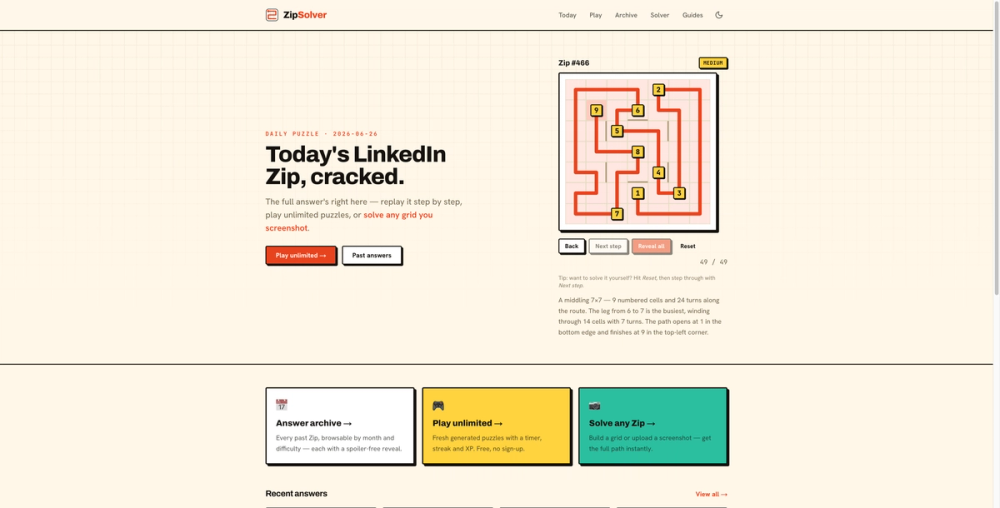
ZipSolver helps players solve LinkedIn's daily Zip puzzle without turning the puzzle into a guessing game. Zip is a path puzzle: the player must connect the numbered cells in order, visit every square exactly once, and respect walls between cells. That makes many boards feel simple at first but tricky near the end, because one wrong move can isolate part of the grid or force a numbered cell too early.
What ZipSolver does
ZipSolver gives players a fast way to check a route, recover from a dead end, or understand the logic behind a solution. You can paste or upload a screenshot of the LinkedIn Zip board, and the OCR flow reads the visible grid, numbered cells, and walls. If the screenshot is not available, you can also build the puzzle by hand in the browser. Once the puzzle is entered, ZipSolver computes the full path and shows the answer clearly.
The site also publishes today's LinkedIn Zip answer with a spoiler-aware reveal, so players can choose how much help they want. Some users only need a hint about the next segment; others want the complete route. ZipSolver supports both learning and quick checking.
Key features
- Free web tool with no account required.
- Screenshot OCR for LinkedIn Zip boards.
- Manual grid builder for custom puzzles.
- Solver that respects numbered order and wall constraints.
- Daily answer pages for current LinkedIn Zip puzzles.
- Archive by date and puzzle number.
- Practice mode for additional Zip-style puzzles.
Who it is for
ZipSolver is useful for LinkedIn Games players, puzzle fans, and anyone interested in path-finding logic puzzles. It is also helpful for learning the underlying strategy: keep the unsolved part of the board connected, avoid entering numbered cells too early, and preserve exits for late-game cells.
Pricing
ZipSolver is free to use. No sign-up is required.