Overview
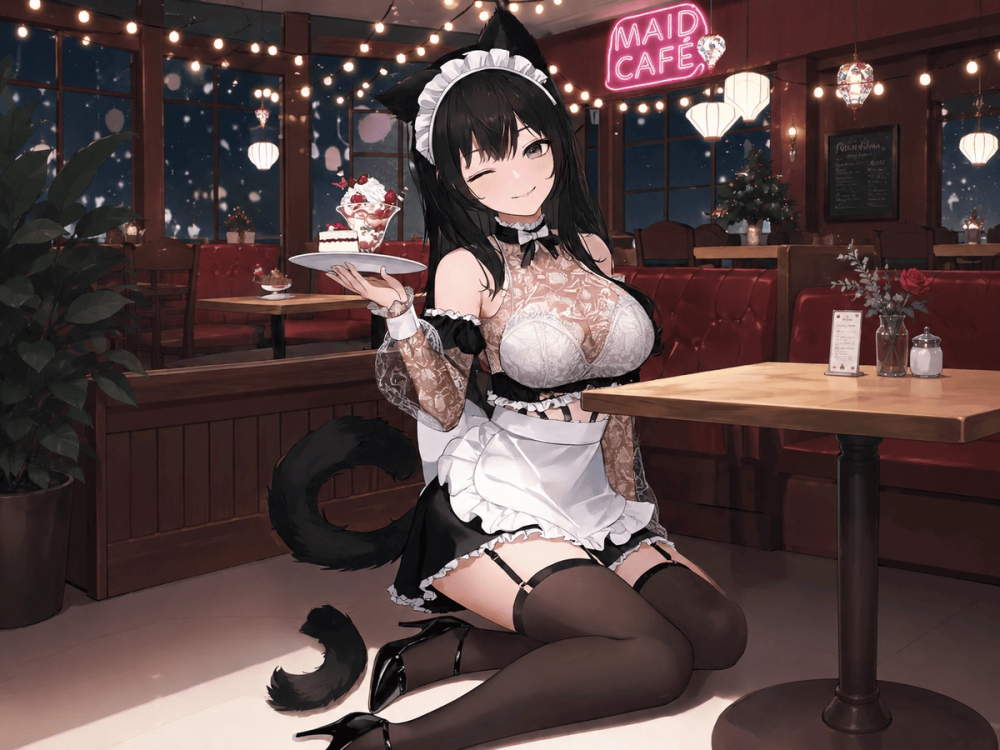
Try OC Maker is an all-in-one AI creative studio built for people who want to design original characters, explore different visual directions, and turn still character art into short animated scenes.
The platform supports both OC image creation and character animation. Users can create an original character from a text prompt, build one through guided character options, or use a reference image to preserve important features across different outputs. Once a character design is ready, the artwork can be used as the starting point for a short video.
Key Features
1. AI OC Image Creator
The OC Image Creator turns a written idea into a visual character design. Users can begin with a short description, such as “a calm silver-haired mage wearing a blue cloak,” or provide a more detailed prompt covering the character’s appearance, personality, role, color palette, accessories, weapon, pose, and setting.
2. Multiple Art Styles and AI Models
Try OC Maker supports different visual directions, including anime, manga, stylized 3D, realistic, fantasy, comic, retro-inspired, and other character-focused styles. A single OC idea can therefore be tested in several forms. Users might compare how the same character looks as a clean anime portrait, a polished 3D game concept, a dramatic fantasy illustration, or a simple social media avatar.
3. Full-Body Characters and Character Sheets
Try OC Maker is not limited to headshots or simple avatars. Users can request full-body characters, head-to-toe views, front views, side views, expression sheets, outfit studies, weapon concepts, and character reference layouts.
These outputs can help writers visualize a protagonist, help roleplayers build a more complete profile, or help a small creative team discuss a character before investing time and money in final artwork. A full-body design can also make it easier to understand the relationship between the character’s clothing, proportions, equipment, pose, and personality.
4. OC Animation and Image-to-Video
After creating or uploading an OC image, users can turn the still design into a short animated video. Motion prompts can describe actions such as blinking, smiling, turning toward the camera, waving, walking, drawing a weapon, casting magic, or moving through an action scene.
This allows a character portrait or full-body illustration to become a short visual moment rather than remaining a static image.
Use Cases
Anime and Manga Original Characters
Roleplay and RPG Characters
Stories, Comics, and Worldbuilding
Indie Games and Early Concept Development
Social Media and Profile Images
Redesigning an Existing OC
Getting Started
Step 1: Open the OC Maker
Step 2: Choose a Style and Background
Step 3: Describe the Character
Step 4: Generate and Review the Result
Pricing and Plans
Try OC Maker is free to start, and image and video generations are managed through a credit system. The number of credits required depends on the selected tool, AI model, resolution, video duration, audio option, and other generation settings.
Try OC Maker also supports paid monthly subscriptions, annual subscriptions, and one-time credit purchases.