Overview
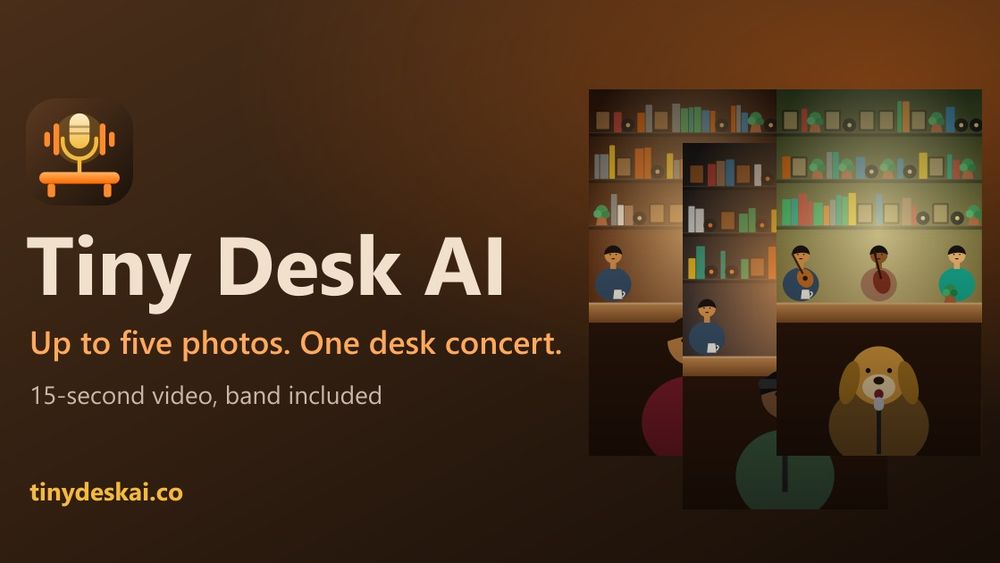
Tiny Desk AI turns a small set of photos into a short, fictional music performance. It is a browser-based creative tool for making a playful clip without filming a band or editing separate video and audio tracks. Each result is AI-generated, not footage of a live event or an edit of an existing concert. Tiny Desk AI is independent and is not affiliated with NPR, Tiny Desk Concerts, or any artist.
How it works
Choose one of seven templates, then upload one to five clear photos you have permission to use. Templates support solo subjects, duos, groups, and cats. Review the selected images and eligibility requirements before submitting. Tiny Desk AI generates a 15-second video in 720p with a small band and newly generated music. When the job finishes, download the MP4 from your account. The workflow is simple: choose a scene, provide suitable photos, generate, review, and download.
Templates and use cases
A solo template can turn an authorized portrait into a playful performance moment. Duo scenes bring two consenting adults into one composition. Group options can suit adult friends or colleagues who agree to appear. The cat template creates a lighthearted pet-centered scene. These choices work for personal posts, birthday greetings, team celebrations, and private jokes. They do not reproduce an actual venue or claim that a specific person performed a song. The output is best understood as a fictional AI-made scene.
Choose photos carefully
Use well-lit images where faces are visible and subjects are framed clearly. Avoid extreme filters, motion blur, hidden faces, or crops that remove important details. For groups, check that each adult is visible. Upload only images you own or are authorized to use, and make sure each pictured adult agrees to the transformation. Do not upload children, celebrities, public figures, or anyone whose permission you do not have. A photo being available online does not automatically grant permission to use it in an AI transformation.
Original music and responsible sharing
Each result includes original generated music rather than a selected commercial song. The visuals and band are generated as part of a fictional performance. Review the clip before sharing it and label it as AI-generated when viewers could mistake it for real footage or an endorsement. Do not present it as an appearance by a musician, an official Tiny Desk Concert, or a real performance. Use the output in a way that respects the people shown and the rights attached to the source photos.
Getting started and pricing
Visit tinydeskai.co, review the examples, and select a template that fits the intended subjects. Prepare one to five clear, authorized photos, read the eligibility notice, generate the clip, and wait for processing. Completed MP4 files can be downloaded from the account. The site provides a how-to guide, photo-selection tips, trend information, and scene ideas. Tiny Desk AI uses credits; the live pricing page lists current one-time packs and prices. Product information states that one 15-second video costs one credit, failed generations return a credit, and purchased credits do not expire. Check the current pricing and terms on the site before purchasing because available packs may change.
FAQ
How many photos can I use? One to five for each generation. How long is the result? 15 seconds in 720p. Does it use an existing song? No, it generates original music. Can I upload a child's or celebrity's photo? No. Is Tiny Desk AI connected to NPR? No, it is independent. Visit tinydeskai.co for the how-to, photo tips, ideas, trend, and pricing pages.