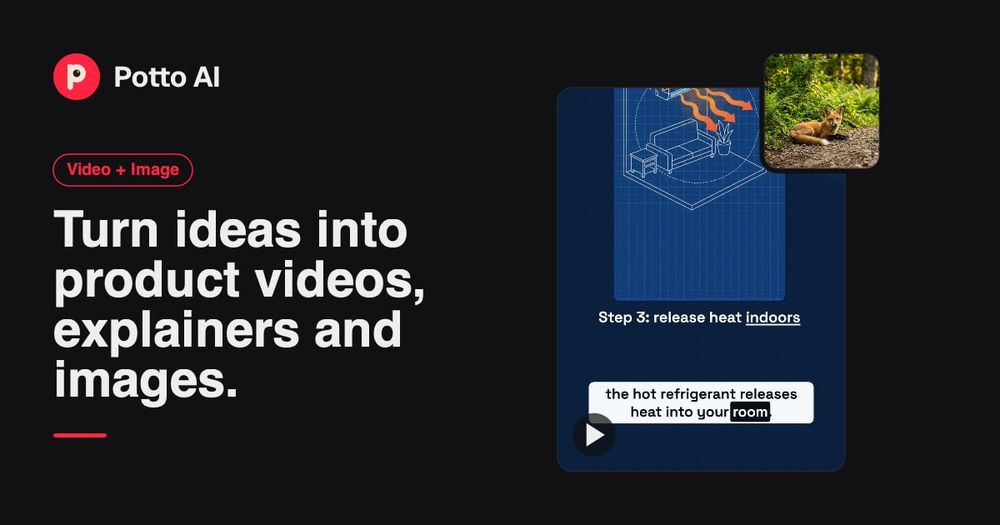
Potto AI is a comprehensive platform designed for creating motion graphics and generating/editing AI images. It empowers users to transform ideas into professional product videos, explainers, and striking visuals, all within a unified environment. The platform leverages advanced AI to streamline content creation workflows, making it accessible for various use cases from marketing campaigns to educational content.
Key Features:
-
AI Motion Graphics Generator:
- Product Videos & Explainers: Create dynamic product stories, feature announcements, and educational explainers.
- Versatile Formats: Supports wide (16:9), vertical (9:16), and square (1:1) video formats suitable for different platforms like social media feeds and launch pages.
- Customizable Styles: Offers various style presets (e.g., Clean Modern, Midnight Tech, Bold Pop) to match the visual energy of the content, allowing users to apply brand colors and adapt to screenshots.
- Storyboard-driven Workflow: Users start with material like screenshots and descriptions, and the AI proposes a storyboard. This can be refined by adjusting scene order, text, visuals, and timing before exporting as an MP4.
- Narration, Captions & Music: Integrates AI-generated voiceovers, captions for accessibility, and background music to enhance the storytelling and pacing of motion graphics.
-
AI Image Generator:
- Text-to-Image & Image-to-Image: Generate new visuals from text prompts or use existing images as references to guide specific changes.
- Diverse Applications: Ideal for creating campaign illustrations, character concepts, editorial visuals, photo-style scenes, and design directions.
- Prompt Guidance: Provides prompt ideas and emphasizes clear, specific descriptions for subject, style, and composition to achieve desired results.
- Model & Resolution Options: Users can choose from available AI models (e.g., Nano Banana Pro, Nano Banana) and select appropriate aspect ratios and resolutions for their output.
-
AI Image Editing Tools:
- AI Image Editor: Perform focused revisions on generated or uploaded images using text prompts.
- Uncrop: Extend images beyond their original borders to fit new aspect ratios or compositions.
- AI Background Remover/Changer: Easily remove or replace backgrounds from images.
- AI Image Upscaler/Enhancer: Improve image resolution and quality.
- AI Watermark/Text Remover: Clean up images by removing unwanted watermarks or text.
- Image Templates: Offers specialized templates for tasks like avatar creation, headshots, interior design, and photo restoration.
Use Cases:
- Product Launches & Feature Stories: Quickly create engaging product demos and feature announcements using screenshots and descriptions, ensuring a clear, readable sequence for various platforms.
- Explanations & Social Lessons: Develop educational content and short explainers by transforming articles or topics into animated sequences with narration and visuals.
- Campaign Images & Visual Directions: Generate unique visuals for marketing campaigns, social media posts, or design explorations, establishing mood and focus.
- Portraits & Character Concepts: Create new character designs or illustrate existing faces, useful for avatars, profile pictures, or visual references in larger projects.
Potto AI aims to provide a streamlined, credit-based system where users can preview and edit content for free, paying only upon export. The platform encourages iterative refinement and careful review of AI-generated outputs to ensure accuracy and alignment with user intent.