Introducing LiteImg: The Next-Generation Private Image Compression Tool
In an era where digital content is king, the balance between high-quality visuals and fast-loading web pages has never been more critical. Whether you are a professional photographer, a web developer, or a casual social media user, managing file sizes is a constant challenge. Enter LiteImg.com, a cutting-edge web application designed to revolutionize how we handle image optimization.
What is LiteImg?
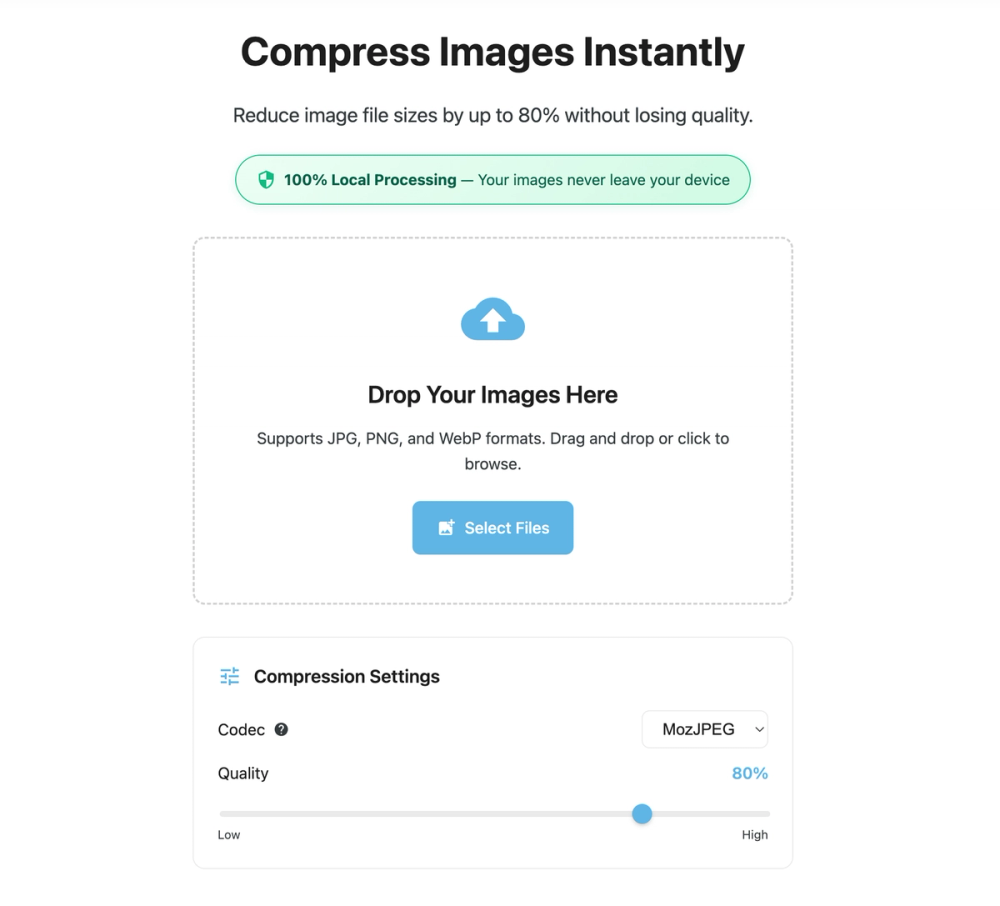
LiteImg is a high-performance, privacy-focused online image compression tool. Unlike traditional compressors that require you to upload your sensitive data to a remote server, LiteImg operates entirely within your web browser. It is built for speed, security, and simplicity, ensuring that your images are optimized without compromising their quality or your privacy.
Key Features and Benefits
1. Zero-Server Processing (Privacy First)
The standout feature of LiteImg is its client-side processing architecture. When you "upload" a photo to LiteImg, it never actually leaves your computer. All the heavy lifting—the algorithms, the resizing, and the compression—happens locally using your browser's resources. This makes LiteImg the ideal choice for compressing:
- Confidential business documents.
- Personal family photos.
- Proprietary design assets.
2. Exceptional Compression Ratios
LiteImg utilizes advanced compression algorithms (such as MozJPEG and WebP optimization) to significantly reduce file sizes—often by up to 80-90%—while maintaining visual fidelity. You can choose between lossy compression for maximum size reduction or lossless compression for pixel-perfect results.
3. Blazing Fast Batch Processing
Time is money, especially for developers and designers. LiteImg allows you to drag and drop dozens of images at once. Because there is no upload or download latency involved in the compression process itself, the conversion is nearly instantaneous.
4. Support for Modern Formats
Whether you are dealing with standard JPEG and PNG files or modern formats like WebP and AVIF, LiteImg has you covered. It provides a seamless interface to convert and compress across different formats to ensure compatibility with all modern web standards.
Technical Excellence: How LiteImg Works
LiteImg leverages the power of WebAssembly (Wasm). By running high-performance C++ or Rust code directly in the browser at near-native speeds, LiteImg bridges the gap between a desktop application and a web tool.
By using the browser's local storage and execution environment, LiteImg eliminates the need for expensive server-side processing, which is why the tool can remain free, fast, and remarkably lightweight.
User-Centric Design
The interface of LiteImg is designed with minimalism in mind. There are no intrusive ads or complex menus. The workflow is straightforward:
- Select: Drag and drop your images onto the homepage.
- Adjust: Use the intuitive sliders to set your desired quality level or target file size.
- Preview: Compare the original and compressed versions in real-time with a side-by-side preview.
- Save: Download your optimized files individually or as a bulk ZIP archive.
LiteImg vs. Traditional Online Compressors
| Feature | LiteImg.com | Traditional Tools |
|---|---|---|
| Data Privacy | 100% Private (Local) | Risk of server storage |
| Processing Speed | Instant (No upload needed) | Depends on upload speed |
| Offline Capability | Works once loaded | Requires active connection |
| Cost | Free | Often restricted by "Pro" tiers |
| File Limits | Limited only by your RAM | Usually capped at 5MB-20MB |