Overview ImageToSTL is an advanced AI-powered online platform that transforms any 2D image into a professional-grade 3D printable STL file within minutes. Whether you're a hobbyist, designer, engineer, or educator, our cutting-edge technology bridges the gap between flat images and fully realized three-dimensional models — no prior 3D modeling experience required.
Traditional 3D modeling is a time-intensive process that demands specialized software knowledge, artistic skill, and hours of painstaking manual work. ImageToSTL eliminates these barriers entirely. By leveraging the latest advancements in artificial intelligence and deep learning, our platform intelligently analyzes your uploaded images, interprets depth cues and contour information, and automatically constructs a precise, print-ready 3D mesh. The entire process takes as little as one minute, making professional 3D printing accessible to everyone.
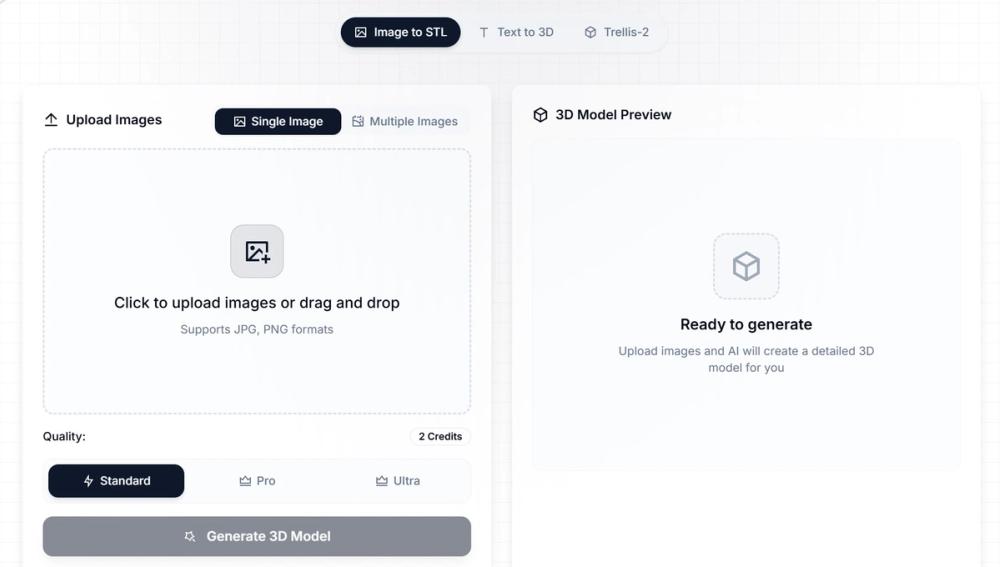
Our converter supports JPG and PNG image formats and processes files up to 10MB in size. The resulting output can be downloaded as an STL file — the industry-standard format compatible with virtually every 3D printer on the market — as well as GLB and OBJ formats for use in 3D visualization, gaming, and design applications.
Key Features AI-Powered 3D Reconstruction
At the heart of ImageToSTL is a sophisticated neural network trained on millions of images and 3D models. This AI engine goes far beyond simple heightmap extrusion. It identifies object boundaries, infers surface topology, and reconstructs volumetric geometry with impressive accuracy. The result is a 3D model that faithfully captures the proportions, curvature, and surface detail of your original image.
Multi-Image Input for Enhanced Accuracy
For even more precise 3D reconstruction, ImageToSTL supports multi-view input mode. By uploading photos from multiple angles — front, back, left, and right — the AI can perform a more complete spatial analysis and generate a highly accurate model with full geometric consistency. This feature is especially valuable for product prototyping, architectural modeling, and character design.
Real-Time 3D Preview
Before downloading, you can inspect your generated model directly in the browser using our integrated 3D viewer. Rotate, zoom, and pan around the model to verify its quality. The viewer also offers multiple rendering modes: standard texture, white clay (print preview), wireframe, and high-contrast display — giving you full control over how you evaluate the output.
Multiple Export Formats
ImageToSTL generates files in three widely used formats:
STL — The universal standard for 3D printing, compatible with FDM, SLA, SLS, and virtually all other 3D printing technologies. GLB — A compact binary format perfect for web-based 3D visualization, augmented reality (AR), and game engines like Unity and Unreal Engine. OBJ — A versatile mesh format supported by most professional 3D software including Blender, Maya, and AutoCAD. Cloud-Based Processing
All conversion work is handled by our high-performance cloud infrastructure, meaning you don't need a powerful local machine to generate complex 3D models. Simply upload your image from any device — desktop, tablet, or mobile — and receive your result in the cloud.
Batch Processing Support
For users managing large-scale 3D printing projects, ImageToSTL supports batch image processing. Convert multiple images to STL format simultaneously and download your files in bulk, drastically reducing the time and effort involved in high-volume production workflows.
Adjustable Quality Settings
ImageToSTL gives you control over the quality of your output. Higher quality settings produce denser mesh geometry with finer surface detail, ideal for detailed figurines, jewelry, or architectural models. Lower quality settings generate lighter files optimized for rapid prototyping where speed matters more than resolution.