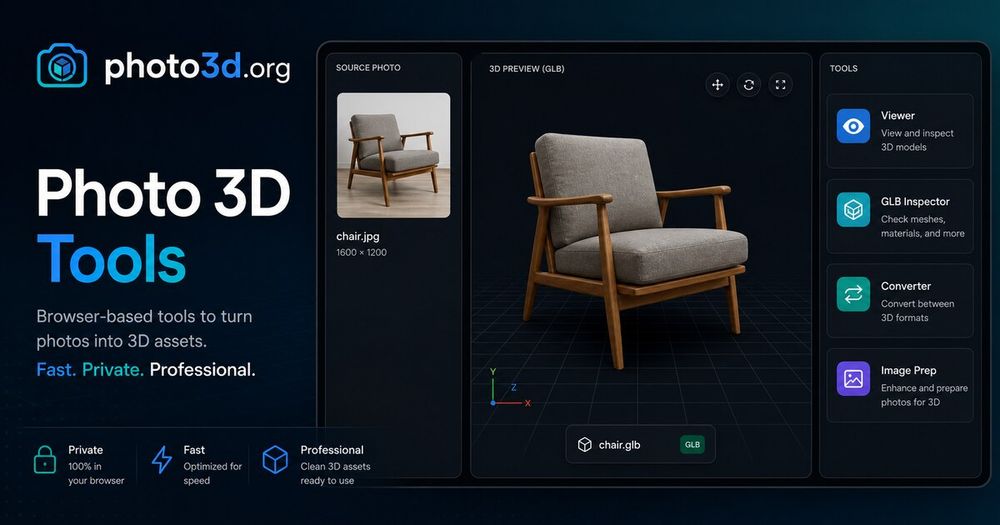
Photo3D is a comprehensive online platform offering a suite of free, browser-based tools and an AI-powered 3D generator for creating and managing 3D assets. It streamlines the workflow from source image preparation to final GLB output, catering to both casual users and professionals.
The core offering is the Photo 3D Generator Online, which allows users to transform public images or uploaded photos into textured 3D drafts. It supports various generation pipelines, including "Image to 3D" for quick drafts, "Multi-step" for research pipelines, and "Depth / 3DGS" for advanced demos. The platform emphasizes the importance of high-quality source assets, guiding users on how to prepare images with centered objects, simple backgrounds, and full silhouettes for optimal AI generation. Users can compare different model lanes (pixel-aligned, reconstruction passes, multi-view) and inspect the generated GLB assets before further editing or publishing.
Beyond generation, Photo3D provides an extensive collection of Free 3D Tools that run locally in the browser, requiring no sign-up. These tools are designed to inspect, convert, and prepare 3D files and images. Key tools include:
- 3D Model Viewer: For inspecting GLB, OBJ, STL, and FBX models.
- 3D Viewer & Editor: To arrange models, transform selections, and export various 3D formats.
- GLB Inspector: For detailed examination of GLB structure, scenes, meshes, materials, and animations.
- 3D Format Converter: Supporting conversions between 3MF, GLB, glTF, OBJ, PLY, and STL.
- Texture Checker: To verify texture dimensions and GPU memory.
- Model Scale Calculator: For calculating real-world model scale.
- Image Compressor & Converter: To optimize and convert source images (PNG, JPG, WebP, GIF, AVIF).
- Transparent PNG Maker: For creating clean transparent source assets without uploads.
For users requiring saved generation history, account credits, or managed AI 3D tasks, Photo3D offers an account-based workflow. This focused workspace integrates photo-to-3D generation, credit management, task history, storage-backed uploads, and Cloudflare Worker deployment. The process involves uploading an image, choosing a 3D model, reviewing the 3D pass for geometry and texture recovery, and finally downloading the GLB output. The platform also provides clear guidance on commercial use rights and offers direct support via email.