Overview
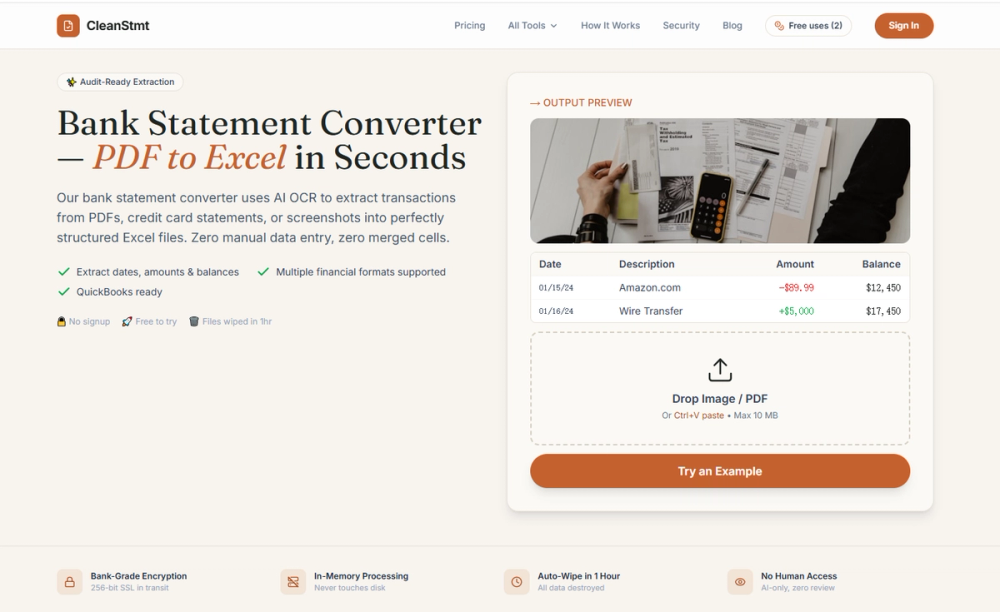
CleanStmt is an AI-powered bank statement converter for accountants, bookkeepers, finance teams, and small businesses that need transaction data in a spreadsheet or accounting file instead of a PDF. Upload a statement, let the AI extract the table, review and edit the rows, then export.
Most PDF converters reproduce the page layout. CleanStmt returns structured data with one transaction per row and no merged cells, so the output is easier to sort, filter, reconcile, and analyze. Excel amounts are numeric for formulas and pivot tables; dates keep their source format.
No install and no per-bank template. Single mode accepts PDFs, scans, JPGs, and PNGs. Results depend on clarity and layout, so review them before accounting use.
Key Features
- AI extraction for statements, invoices, and receipts; OCR for scans and photos in Single mode.
- Editable rows: correct a description, date, or amount before exporting.
- Consistency checks where data permits; they flag internal inconsistencies, not source accuracy.
- No merged cells, one transaction per row, numeric amounts in Excel.
- Paid batch conversion: up to 10 text-based PDFs, 100 total pages, 20 MB per file, per-file progress.
- Batch downloads: individual Excel files, a ZIP, or one workbook with a sheet per successful PDF in upload order.
- Worksheet names come from PDF filenames, adjusted for Excel limits and duplicates.
- Single-mode exports: Excel, CSV, Word, QBO, IIF, QIF, QFX, OFX, Tally, Xero, and Sage, subject to compatibility.
- Statements from 38 major banks, including Chase, Bank of America, Wells Fargo, and Citi.
Use Cases
Accountants can keep each client's statement on its own worksheet instead of one merged table. Bookkeepers can upload a month of text-based PDFs and download successful Excel files in one ZIP. Small business owners can correct transactions before spreadsheet analysis. Finance teams can extract invoices and receipts in Single mode. Tax professionals can organize monthly or annual records.
Scans and photos use Single mode; batch mode is for text-based PDFs.
Getting Started
- Open cleanstmt.com, drag in a document, paste an image, or select a file.
- Choose Single mode or Batch mode for up to 10 text-based PDFs.
- Review the rows and edit anything that needs correction.
- Export, or download batch results as files, a ZIP, or a merged workbook.
The free tier requires no credit card: 2 pages per day anonymously or 6 with a free account. Batch conversion requires a subscription or credit pack and enough remaining pages.
Pricing & Plans
Starter is $19/month or $179/year for 500 pages monthly; Professional is $39/month or $359/year for 1,200 pages; Business is $79/month or $699/year for 3,000 pages.
Credit packs: 300 pages for $19, 700 for $39, or 1,500 for $69. Credits last 12 months, unlock batch processing and every export format, do not renew, and exclude priority support. Paid usage is charged by page with no daily cap, but is not unlimited; available credits set the limit.
Data Handling
Source PDFs and images are not stored. Anonymous results are not saved to cloud history, which requires a subscription or credit pack rather than free registration. Eligible saved results and basic metadata expire after 7 days and can be deleted sooner from Credit Usage. Usage, billing, and abuse-prevention records have separate retention rules. Conversion sends text or images to an AI provider, whose retention and access follow its terms and the service configuration.
Before You Import
Excel and CSV exports are full statement reports with header information, a transaction table, and a summary block, not universal import templates. Accounting exports require compatible extracted data, and import also depends on software version, account settings, and field mapping. Check your software's import requirements. CleanStmt reduces repetitive entry but does not guarantee error-free output; review every result.