Zipic is a native image compression app for Mac and Windows. It compresses, converts, and resizes images locally, without uploading files to a remote service or requiring a cloud account. It is designed for screenshots, web assets, documentation images, client drafts, photography previews, and any folder that has accumulated oversized files.
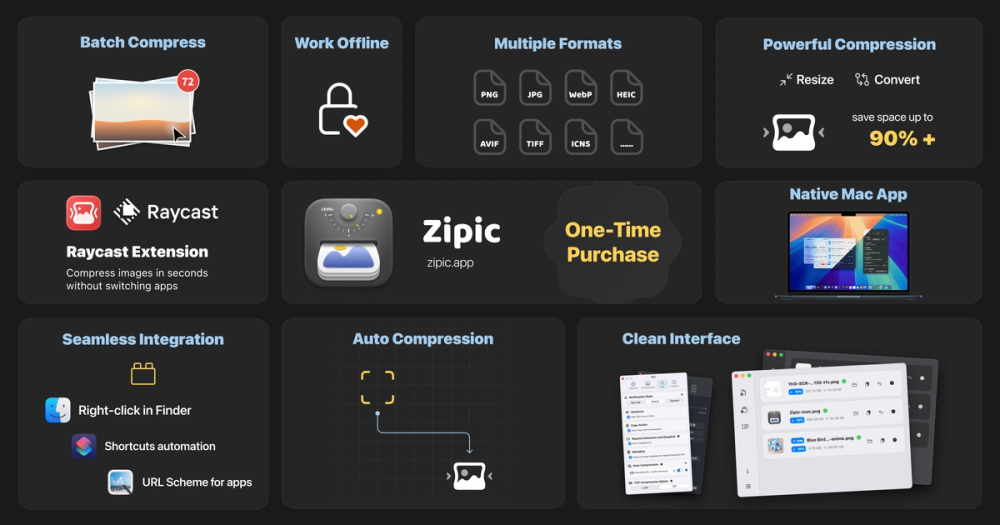
Zipic supports JPEG, PNG, WebP, HEIC, AVIF, JPEG XL, TIFF, GIF, PDF, SVG, and APNG. On macOS it also handles ICNS files, and on Windows it supports ICO. Users can compress a single image or run a complete folder as a batch. The result view reports each file separately, so it is clear which images were compressed, converted, resized, skipped, or blocked by a plan limit.
The app provides six compression levels and a target file size mode for upload limits or publishing requirements. The before-and-after preview displays both images at the same size, helping users judge quality before replacing or exporting a file. Zipic can also convert formats, resize to chosen dimensions, and strip EXIF metadata as part of the same local workflow.
Desktop integrations reduce repeated work. On macOS, Zipic supports Finder actions, clipboard auto-compression, folder monitoring, Apple Shortcuts, Raycast, and URL Scheme actions. Users can process screenshots when they appear in a watched folder or send selected files into a compression workflow without opening the main window.
The zipic command line tool is built for scripts and AI coding agents. It can compress, convert, resize, and target a file size, then return structured JSON with per-file results. Meaningful exit codes make the outcome useful in shell scripts and build pipelines. A dry-run option shows planned work before files change. The Zipic skill teaches Claude Code or Codex how to call the CLI, inspect the plan, read the JSON response, and report which files succeeded, were skipped, or were blocked by a Pro limit.
Zipic processes files on the device where they already exist. This keeps private screenshots, unreleased design work, and client images out of online compressor services. It also means the core workflow remains available offline. For AI workflows, compression stays a real local process with explicit input, output, and per-file results.
New users can try Pro for seven days. After that, the free tier includes 25 images per day and basic formats. Pro is a one-time purchase with lifetime updates, not a subscription. Zipic requires macOS 13 or later; the Windows version is available in beta for Windows 10 or later.