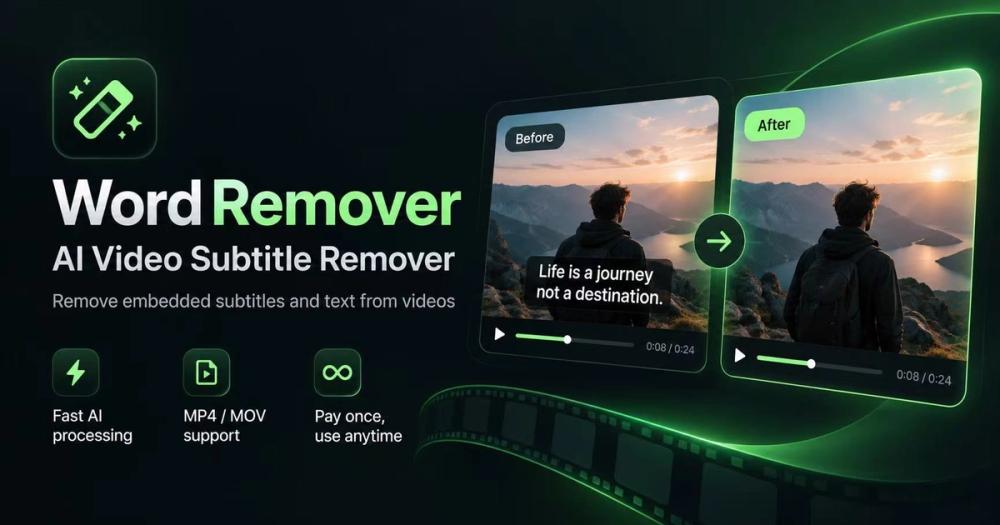
Word Remover is an advanced online AI tool designed to seamlessly remove unwanted text, subtitles, captions, and watermarks from videos. Unlike traditional methods that often rely on blurring, Word Remover employs sophisticated AI background reconstruction to intelligently repair the affected areas, preserving the original resolution and visual quality of your footage. This ensures a professional finish without the tell-tale signs of editing.
The platform is entirely web-based, eliminating the need for any software installation. Users can easily upload their H.264 MP4 or MOV video files directly through their browser. The intuitive interface allows for precise selection of the text areas to be removed. Users simply draw a box around the unwanted lettering and specify its timing within the video. This granular control ensures that only the intended elements are targeted, leaving the surrounding scene intact and maintaining the full video frame.
Key features include:
- AI Background Reconstruction: The core technology intelligently rebuilds the background behind the text, offering a clean repair rather than a simple blur. This is crucial for maintaining video integrity, especially for dynamic or detailed scenes.
- User-Controlled Selection: Users have complete control over which text elements are removed and when they appear, allowing for highly customized edits.
- No Installation Required: As a cloud-based service, Word Remover is accessible from any device with an internet connection, streamlining the workflow for content creators and editors.
- Preservation of Video Quality: The tool aims to export videos at their original resolution and frame rate, making them suitable for further editing or direct publishing on platforms like YouTube, TikTok, and Instagram Reels.
- Versatile Text Removal: It effectively handles various types of on-screen text, including hardcoded subtitles, burned-in captions, text watermarks, recording labels, and timestamps.
The process is straightforward, involving three main steps:
- Upload Your Video: Users upload their video file (MP4 or MOV). A free trial is available for one video up to 30 seconds and 100 MB without requiring a sign-up.
- Select the Text Area: Within the online editor, users draw a box around the text they wish to remove and adjust the timing for its appearance and disappearance.
- Remove and Download: After initiating the repair, users can preview the AI-reconstructed video before downloading the final, clean version.
Word Remover offers flexible pricing through credit packs, which are one-time payments for processing minutes, with no automatic renewals. This model caters to varying user needs, from occasional edits to more frequent professional use. The service emphasizes that processing minutes are only consumed for successful operations, ensuring fair usage.
This tool is ideal for content creators, social media managers, and anyone needing to clean up video footage by removing unwanted textual overlays, ensuring their content looks polished and professional. It provides a powerful, accessible solution for common video editing challenges related to on-screen text.