1. Overview
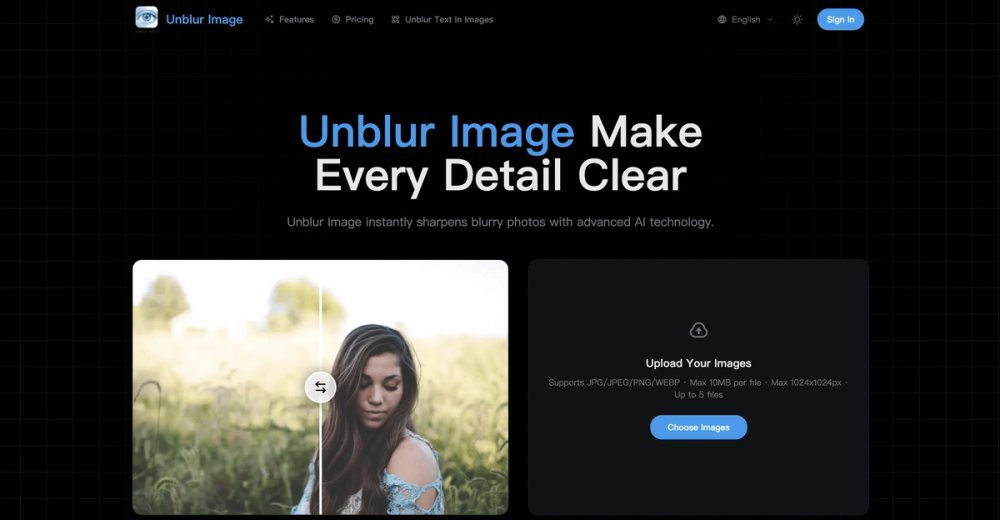
Unblur Image is an AI-powered photo enhancement tool that turns blurry images into clear, natural-looking photos in seconds. Unlike traditional sharpening filters that create harsh artifacts, it uses advanced machine learning to intelligently restore details, edges, and textures.
Designed for speed and simplicity, users can upload a photo, enhance it with one click, and instantly download the improved result. It effectively fixes motion blur, out-of-focus shots, low resolution, noise, and compression issues, while also supporting high-resolution enhancement and upscaling.
From restoring old memories and improving selfies to enhancing social media visuals and e-commerce product images, Unblur Image helps both everyday users and creators get sharper, cleaner photos—fast and effortlessly across desktop and mobile.
———
2. Key Features
-
AI-Powered Unblurring Restores detail from motion blur and out-of-focus photos by intelligently rebuilding edges and textures.
-
Natural Sharpening Enhances clarity and fine details while avoiding harsh artifacts or an overprocessed look.
-
Super-Resolution Upscaling Increase image resolution (2×, 4×+) with rebuilt textures and reduced pixelation—ideal for print, design, and e-commerce.
-
AI Noise Reduction Removes grain and compression noise while preserving natural texture and image realism.
-
Smart Visual Enhancement Improves overall image quality with balanced brightness, contrast, color, and edge clarity.
-
One-Click Workflow Upload → Enhance → Download. Simple for beginners, efficient for creators.
-
High-Resolution & Format Support Works with common formats like JPG and PNG, optimized for high-resolution images.
-
Original File Protection Enhancements never overwrite your source image—both original and improved versions are محفوظ.
-
Cross-Device Ready Seamless experience across desktop, tablet, and mobile.
———
3. Use Cases
Unblur Image supports both everyday needs and professional workflows:
-
E-commerce & Marketing Visuals Sharpen product textures and details so customers can view items clearly and buy with confidence.
-
Print & Large-Format Preparation Enhance and upscale photos for posters, albums, and marketing materials while reducing blur and pixelation.
-
Design & Visual Projects Refine UI mockups, presentations, digital artwork, and creative assets with clearer lines and finer details.
-
Social Media Content Turn blurry selfies, travel shots, and user photos into clean, publish-ready visuals that stand out.
-
Personal Photo Restoration Restore clarity to old or imperfect photos and preserve meaningful memories.
With sharpening, denoising, enhancement, and upscaling in one tool, users get better results without complex multi-app workflows. ———
4. Getting Started
Using Unblur Image is quick and easy:
-
Open the platform Access Unblur Image from any desktop or mobile browser.
-
Upload your photo Choose a blurry image from your device (JPG, PNG, and more).
-
Enhance with one click Run AI unblur and sharpening automatically—no manual settings needed.
-
Preview the result Instantly compare before and after to check clarity and detail improvements.
-
Download your image Save the enhanced photo for sharing, publishing, printing, or editing. ———
5. Pricing & Plans
Unblur Image uses a Free + Premium model:
-
Free Plan Access core AI tools to unblur images quickly and try essential enhancement features.
-
Premium Plans Unlock advanced controls, higher-quality processing, and professional-grade workflows.
Perfect for all users—beginners can start free, while creators and professionals can upgrade as quality needs grow.
How to choose:
- Use Free for occasional edits
- Upgrade to Premium for consistent, high-quality results