Newsletter
Join the Community
Subscribe to our newsletter for the latest news and updates











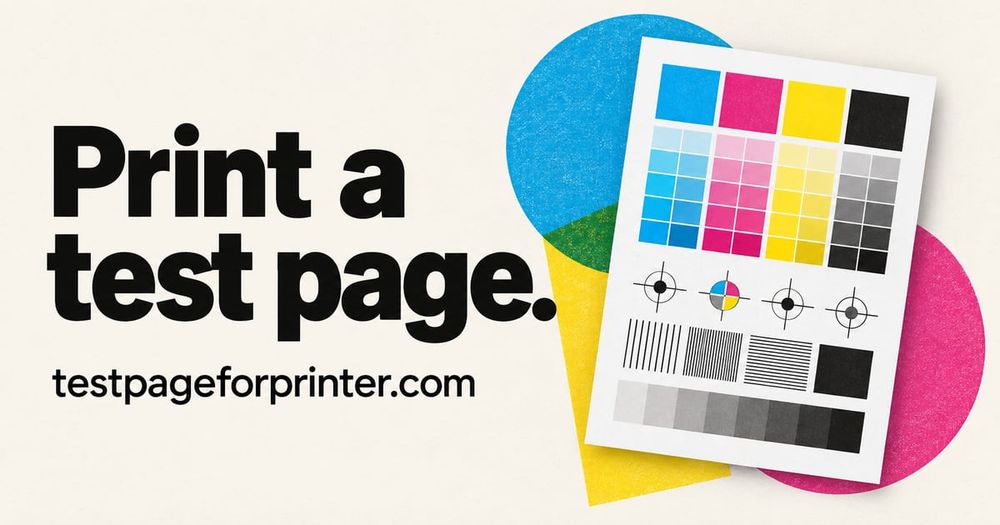
Print a free online test page in seconds: color, black & white, CMYK, alignment and nozzle check. Letter and A4 sheets, true-CMYK PDFs, no sign-up.
TestPageForPrinter is a free online collection of printable printer test sheets and browser tools. It helps home users, students, makers, and small offices inspect printed output before an important job or when a page looks different than expected. Visitors can print directly or download vector PDFs in Letter and A4 sizes without creating an account.
The sheets cover color, black and white, CMYK, alignment, margins, nozzle patterns, photos, scale, text clarity, grids, blank pages, and duplex printing. A color or grayscale sheet provides a visual reference for gradients, solid areas, and text. CMYK blocks can help a user notice weak or missing output in a channel. Alignment and margin designs help reveal shifted or clipped content. A nozzle pattern can be inspected for gaps or broken lines on an inkjet. These pages show symptoms; they do not clean a print head, repair a cartridge, measure color with a calibration device, or diagnose hardware automatically. Laser printers do not have inkjet nozzles, so users should choose a test suited to their device.
Each sheet is available in paper sizes where offered. Letter and A4 are different dimensions, and the print dialog may scale a page even when the right PDF is selected. For physical size checks, use Actual Size or 100 percent where available, turn off Fit to page, and measure the printed reference with a ruler. The browser-based scale-and-margin checker provides another reference, but it cannot replace the calibration mark on a specific PDF, plan, or template. Print a representative page from the actual document and check its own scale before relying on measurements.
QR codes on supported sheets link to result pages with explanations of common visible patterns and possible next checks. The user compares the printed page and chooses which description matches; scanning does not upload the printout for automatic analysis. The guidance is general and cannot know the printer model, paper, driver, ink, toner, PDF viewer, or settings involved. For maintenance or model-specific instructions, follow the printer manufacturer's guidance.
The site also includes troubleshooting guides for streaks, faded prints, missing colors, banding, blank pages, and misalignment, plus how-to pages for printing from common computer and mobile systems and selected printer brands. Menu names can vary by model, software version, and language, so current manufacturer documentation should take precedence if a screen differs. A practical approach is to identify the symptom, select a relevant sheet, print at the intended size, inspect the paper in good light, then use the related guide to decide what to check next. If a test page prints correctly but a particular document does not, investigate that document, application, PDF viewer, or connection separately.
The ink-cost-per-page calculator estimates a cost from values entered by the visitor. It does not provide universal printer yields or prices; actual use depends on coverage, settings, paper, and maintenance. The camera nozzle-check feature is labeled beta. Lighting, focus, angle, and print quality affect a photo, so any result is a visual aid rather than a certified diagnosis. Browser tools do not access printer settings or alter a device. TestPageForPrinter is an independent reference site, not a printer manufacturer or repair service. Its free pages and guides help people make a more informed visual check, while leaving conclusions and device maintenance to the user and their model-specific instructions.