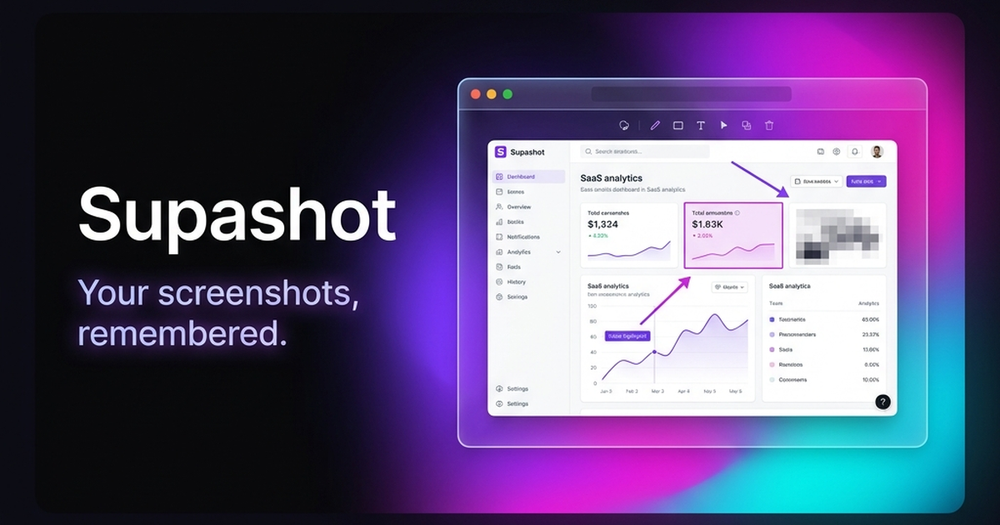
Supashot is a powerful, yet minimal, screenshot tool designed to help users capture, annotate, and organize web screenshots effortlessly. It emphasizes a local-first, private-by-default approach, ensuring all your screenshots and data remain securely on your device without any cloud uploads or tracking. The core experience is completely free, with a commitment to offering one-time payment options for advanced features in the future, avoiding forced recurring subscriptions.
Key features of Supashot include:
- Instant Screenshot Capture: Capture your screen in under a second using a single hotkey, eliminating friction and the need for folder hunting.
- Lightweight Annotation & Editing: Enhance your screenshots with clean annotations such as arrows, text, blur, and highlights. The editor provides just enough tools to make your point clear without the bloat of complex design software.
- OCR-Powered Search & Recall: A standout feature, Supashot allows you to search every screenshot you've ever taken by the text contained within it. This OCR (Optical Character Recognition) capability transforms your visual history into a searchable memory system, making it easy to find specific content instantly.
- Automatic Clipboard Copy & Sharing: Screenshots are automatically copied to your clipboard, enabling quick pasting into applications like Slack, Notion, or pull requests for seamless sharing.
- Keyboard-First Workflow: Designed for efficiency, every action within Supashot has a keyboard shortcut, allowing you to capture, edit, copy, and search without needing to touch your mouse.
- Secure Local-First Library: All your screenshots and their associated OCR data are stored locally on your device. This ensures maximum privacy and security, as no account is required and no data is uploaded to the cloud.
Supashot is currently available as a feature-rich Chrome extension, offering:
- Full-page, visible-area, and custom region capture.
- A comprehensive annotation toolset including arrows, rectangles, freehand drawing, and blur.
- Automatic domain-based screenshot categorization for better organization.
- One-click copy-to-clipboard and local download options.
- A local Dexie-powered library directly within your browser.
An upcoming native macOS application is in active development, promising an even more integrated experience with:
- Region, window, and full-screen capture capabilities.
- A built-in editor for annotations.
- Local OCR search across all screenshots.
- A dedicated timeline and favorites library for enhanced management.
Supashot is ideal for web power users, developers, designers, and anyone who frequently takes screenshots and needs an efficient, private, and searchable way to manage them. It aims to solve the common problem of losing track of important visual information by making screenshots truly 'remembered'.