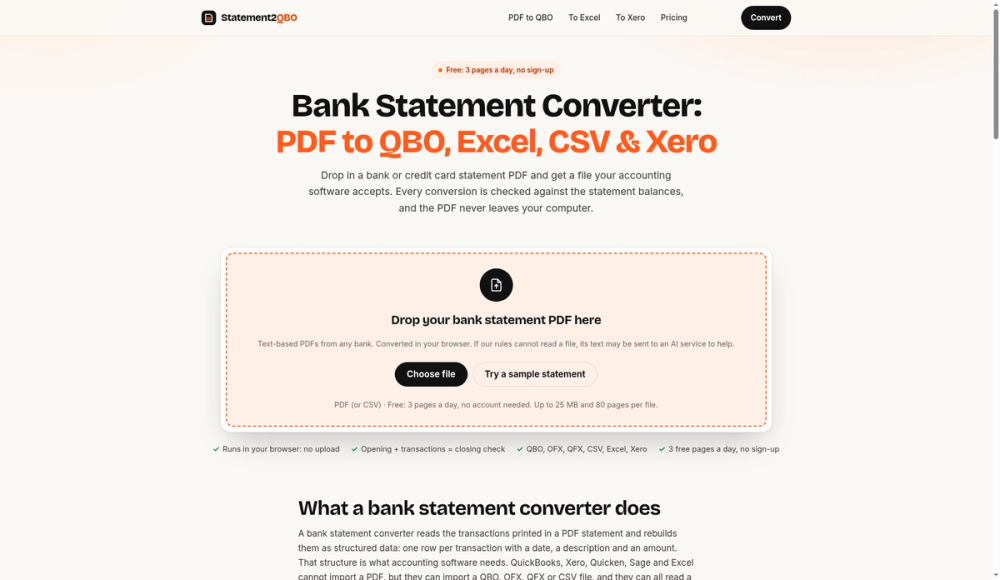
Statement2QBO is an advanced bank statement converter designed to transform PDF bank and credit card statements into structured data formats compatible with various accounting software. It addresses the common challenge faced by bookkeepers, accountants, and small business owners who receive statements as PDFs and need to import them into their financial systems without manual data entry.
The tool supports a wide array of output formats, including QBO for QuickBooks Online or Desktop, Xero CSV for Xero, Excel (.xlsx) or standard CSV for spreadsheets, OFX, QFX, or QIF for Quicken, Sage, Wave, MYOB, and GnuCash, and Tally XML for Tally Prime. This versatility ensures that users can integrate their financial data seamlessly into their preferred accounting environment.
A key distinguishing feature of Statement2QBO is its robust balance check mechanism. Unlike simple PDF text extractors, this converter performs a comprehensive reconciliation. After processing, it adds the opening balance and all extracted transactions, then compares the total with the closing balance printed on the statement. If the statement includes a running balance, each transaction is checked against the previous one. Any discrepancies are highlighted, allowing users to quickly identify and correct errors such as inverted amounts, incorrect dates, or missed lines, thereby preventing costly reconciliation issues later on. The system even attempts to automatically flip signs if an inversion is detected.
The conversion process is straightforward and user-friendly:
- Upload the PDF: Users can drag and drop a bank statement PDF or choose a file. The tool primarily works with text-based PDFs but also offers optional in-browser OCR for scanned documents.
- Check the preview: Transactions are displayed in an editable table, allowing users to modify dates, descriptions, amounts, add/remove rows, and adjust account types or date order if needed.
- Review the balance check: The tool provides immediate feedback on the accuracy of the conversion by comparing calculated balances with statement balances.
- Pick a format and download: Users select their desired output format and download the converted file.
Statement2QBO is engineered for privacy. All conversions occur directly within the user's browser, meaning the PDF file is never uploaded to a server. This "no upload" policy ensures that sensitive financial data remains on the user's computer. The only exception is an optional AI assist feature for complex or scanned PDFs where the extracted text lines (or page images for scans) might be sent once to an AI service for reading, but even then, nothing is stored. The server only records usage metadata like page counts and conversion times.
The converter is designed to be highly adaptable, reading various bank statement layouts without relying on a predefined list of supported banks. It intelligently identifies transaction tables, amount columns (handling separate debit/credit, single signed, money in/out, or CR/DR suffixes), and date formats (US, UK, Canadian, Australian styles, including day/month only). It also reorders transactions into chronological order if the statement prints them in reverse.
Statement2QBO offers flexible pricing:
- Free: Convert 3 pages per day without needing an account.
- Pay-per-pack: A one-time purchase of a 60-page pack for $9, with no expiry.
- Subscription: Pro plan at $19/month for 400 pages or Business plan at $49/month for 2,000 pages, catering to professional bookkeepers and businesses.
This tool is an essential asset for anyone needing to efficiently and accurately convert bank statement PDFs into usable accounting data, saving significant time and reducing the risk of manual errors.