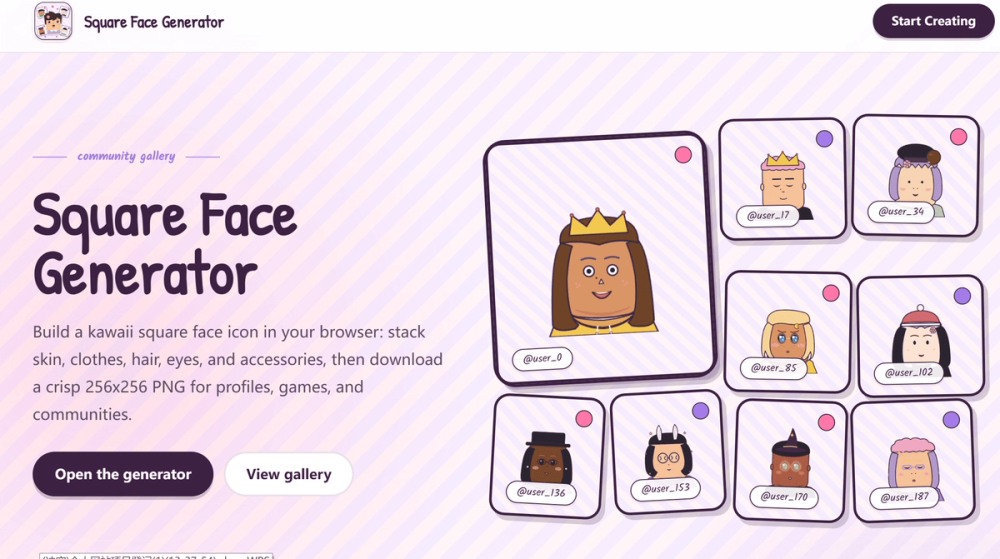
Square Face Generator is a free, browser-based DIY avatar maker designed for creating cute, anime-inspired square face icons. This online tool allows users to easily build unique profile art without the need for installing complex design software or plugins like Flash. It focuses on simplicity and fun, enabling anyone to craft personalized avatars for various digital platforms.
The generator operates by letting users combine a wide array of customizable parts, including different face shapes, skin tones, bangs, side hair, eyes, eyebrows, mouths, clothes, glasses, hats, and tiny accessories. Each element can be adjusted and tinted with various colors, offering extensive creative freedom. The intuitive interface ensures a smooth and engaging experience, making avatar creation accessible to beginners.
Key features of the Square Face Generator include:
- Simple & Fun: An easy-to-use interface where users tap categories, pick parts, and tint colors directly in their browser. No heavy apps or installations are required.
- Free to Use: Users can create an unlimited number of square face icons and cube-ready art for both personal and commercial projects without any cost.
- Instant Download: Finished avatars are exported as pixel-friendly 256 x 256 PNG images with transparency, perfect for immediate use on platforms like Discord, X (Twitter), TikTok, YouTube, forums, and Notion pages.
- Local Rendering & Privacy: The tool renders locally using Canvas in your browser, ensuring privacy as no login is required and no account wall interrupts the creative process. Saved previews are stored only on your device.
The creation process is straightforward:
- Choose face parts: Begin by selecting a skin tone, then layer on clothes, hair, eyes, nose, and mouth.
- Adjust colors & styles: Utilize the Color chip to tint various elements such as hair, brows, lips, glasses, and hats.
- Save your square face icon: Click the "SAVE" button for an instant PNG download. Users can also randomize for new ideas or reset to defaults at any time.
Square Face Generator is perfect for a multitude of applications:
- Social Media Profiles: Square face avatars are highly readable and recognizable even at small sizes on platforms like X, Discord, and various forums.
- Game Development: Ideal for creating consistent NPC portraits, chat icons, and cube-wrapped sprites, maintaining a uniform 256px resolution.
- Team & Community: Provides an easy way to generate matching profile pictures for squads or community members without complex design sessions.
- Creative Projects: Useful for storyboards, pitch decks, and sticker packs, offering a distinctive hand-drawn square icon aesthetic.
The visual style is inspired by Japanese anime communities, featuring soft backgrounds, sticker-like avatar cards, and a gallery-wall aesthetic. It's designed to feel like a small creator booth or a classic web toy, offering an expressive range of faces. The focus on a bold square canvas ensures the final icon is playful, readable, and versatile across different digital environments.
This tool prioritizes a focused workflow: choose big shapes first, refine the expression, and then add accessories. This approach ensures the icon remains clear and readable, even when platforms crop or compress it.