Screen Tester
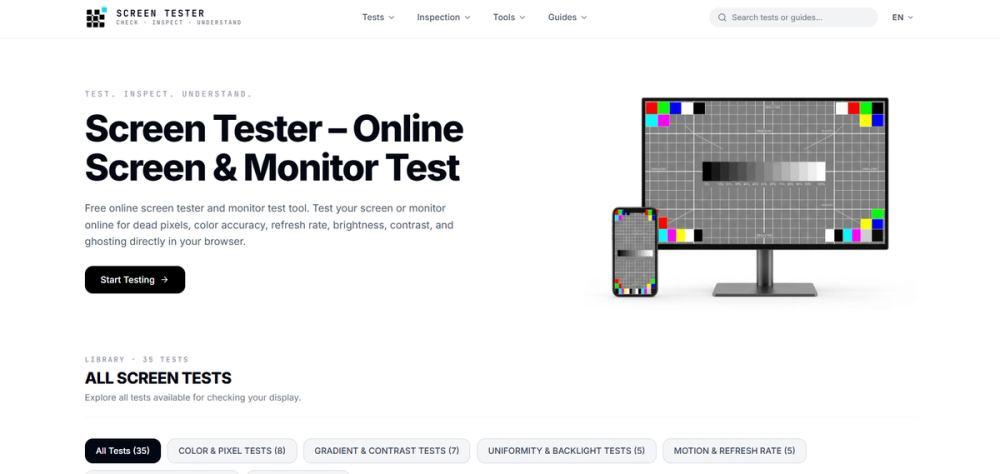
Screen Tester is a free online display testing tool designed to help users check, inspect, and understand the condition of their computer monitors, laptop screens, TVs, and mobile displays directly from a web browser.
Whether you are buying a new monitor, checking a second-hand display, troubleshooting a screen problem, or simply testing your current display, Screen Tester provides a collection of browser-based tests that can be used without installing additional software.
Display Testing Features
Screen Tester includes multiple tests for different aspects of display performance and visual quality.
Dead Pixel Test
The dead pixel test helps users identify pixels that may be stuck, dead, or displaying an incorrect color. By displaying different solid colors across the screen, users can inspect the panel more easily and locate individual pixel problems.
Color Test
The color testing tools display different colors and patterns across the screen. This can help users check for unusual color behavior, missing colors, uneven areas, or other visible display problems.
Brightness and Luminance Test
Brightness and luminance tests allow users to inspect how their display handles different brightness levels. These tests can be useful when checking whether the screen appears unusually dark, bright, or inconsistent.
Contrast and Color Range Test
Contrast and color range patterns help users examine the difference between darker and lighter areas of the display. They can also help reveal whether subtle shades are visible correctly.
Gamma Calibration
The gamma calibration test provides visual patterns that can be used to inspect gamma behavior and overall image appearance. Users can compare the displayed patterns with the provided guidance to better understand how their screen handles different shades.
Refresh Rate Test
The refresh rate test helps users check the refresh behavior of their display through the browser. This can be useful when verifying a high-refresh-rate monitor or checking whether a display is operating as expected.
Screen Test Patterns
Screen Tester also provides various patterns that can be displayed across the screen for visual inspection. These patterns can help users examine areas such as uniformity, colors, gradients, and other characteristics of their display.
Why Use Screen Tester?
A display can develop problems that are not always obvious during normal computer use. A dead pixel, uneven color, brightness issue, or other panel problem may become easier to notice when the entire screen displays a specific color or test pattern.
Screen Tester makes these checks accessible through a web browser. Users do not need to download a dedicated application or install additional testing software. They can simply open the website, select the required test, and follow the instructions provided by the test.
The tool can be particularly useful when purchasing a new monitor or laptop. Testing a display shortly after purchase can help users identify potential panel problems while the product is still covered by the seller's return or replacement policy.
It can also be useful when purchasing a used monitor, laptop, television, or other display device. Running several screen tests can provide a quick visual inspection before completing a purchase.