Overview
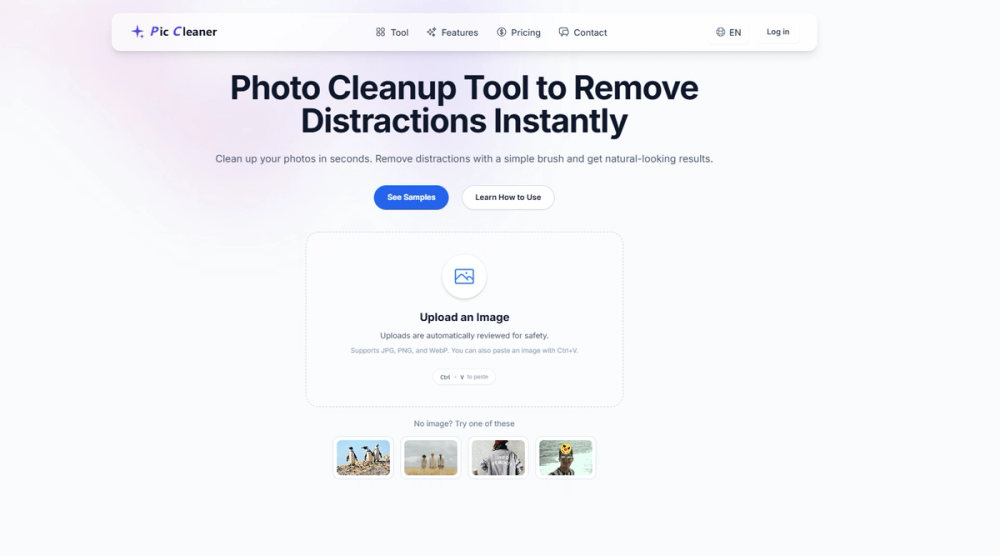
High-quality images are vital for digital communication, but small distractions (background strangers, timestamps, clutter, shadows) often make photos unusable. Pic Cleaner, an AI-powered image editor, solves this simply—no advanced skills needed. Unlike complex desktop software, Pic Cleaner offers a streamlined browser workflow: upload, mark what to remove, run AI cleanup, download. It prioritizes ease of use while delivering consistent, natural results for all users, regardless of design experience. Pic Cleaner’s core is practical utility. It does not replace full creative suites like Adobe Photoshop; it focuses solely on removing visual distractions—one high-frequency task, done well. This makes it ideal for founders, e-commerce sellers, marketers, creators, freelancers, and small teams with tight deadlines and limited design resources. Its browser-based design eliminates installation and compatibility issues, accessible from any modern device. With clear billing, processing history, and account controls, it’s a reliable production tool that integrates seamlessly into workflows. In short, Pic Cleaner turns “almost good” photos into professional, publish-ready visuals in minutes.
Key Features
- AI Object Removal
- Text Removal from Images
- Person Removal
- Shadow and Distraction Cleanup
- Simple Browser-Based Editing
- Fast Iteration Workflow
- High-Resolution-Friendly Handling
- Account, Credits, and Usage Visibility
- Safety and Moderation Controls
- Publishing-First Output Mindset
Use Cases
E-commerce Product Listings Performance Marketing and Ads Social Media Content Creation Startup and SaaS Content Freelancers and Agencies Real Estate and Interiors Education and Presentations
Getting Started
Pic Cleaner’s intuitive workflow is easy for all users: Step 1: Open Pic Cleaner Visit the website in any modern browser—no app, plugins, or account required to start (account recommended for tracking). Step 2: Upload an Image Click “Upload Image” (supports JPG, PNG, TIFF; handles high-res files). The image appears in the workspace for editing. Step 3: Choose the Right Cleanup Intent Select object, text, person, or shadow/distraction removal—focuses AI for accuracy. Step 4: Mark the Area Use the adjustable brush to mark what to remove. Rough selections work—AI interprets imprecise marks. Step 5: Run AI Cleanup Click “Process” or “Remove.” Most images process in seconds, with AI blending the area seamlessly. Step 6: Review and Iterate Review results; adjust and reprocess if needed. Most edits are perfect in a few iterations. Step 7: Download and Publish Download the cleaned image and use it for your intended purpose.
Pricing & Plans
Flexible, transparent pricing for different usage patterns: Free Evaluation New users test with limited edits to verify quality, reducing adoption risk. Credit Packs (Pay-As-Needed) Ideal for irregular use (seasonal campaigns, one-offs). Buy credits, use as needed; unused expire in 12 months. Subscription Plans (Recurring Usage) Perfect for consistent needs (weekly/daily edits, e-commerce updates). Includes monthly/yearly credits, priority processing, and discounts. How to Choose the Right Plan
- Occasional edits: Credit pack.
- Regular monthly use: Subscription.
- High-volume production: Larger recurring plan. Rule of thumb: Weekly cleanup = subscription is more efficient. Billing Experience Transparent features: clear plan status, usage tracking, easy cancellation, and eligible refunds.
Final Takeaway
Pic Cleaner solves a common pain point: removing distractions quickly without complex editing. It turns cleanup from a bottleneck into a fast, repeatable step. For startups, sellers, creators, and teams, it bridges the gap between “almost good” and professional visuals. If your team says, “This image is good, but needs cleanup,” Pic Cleaner is the solution.