Overview
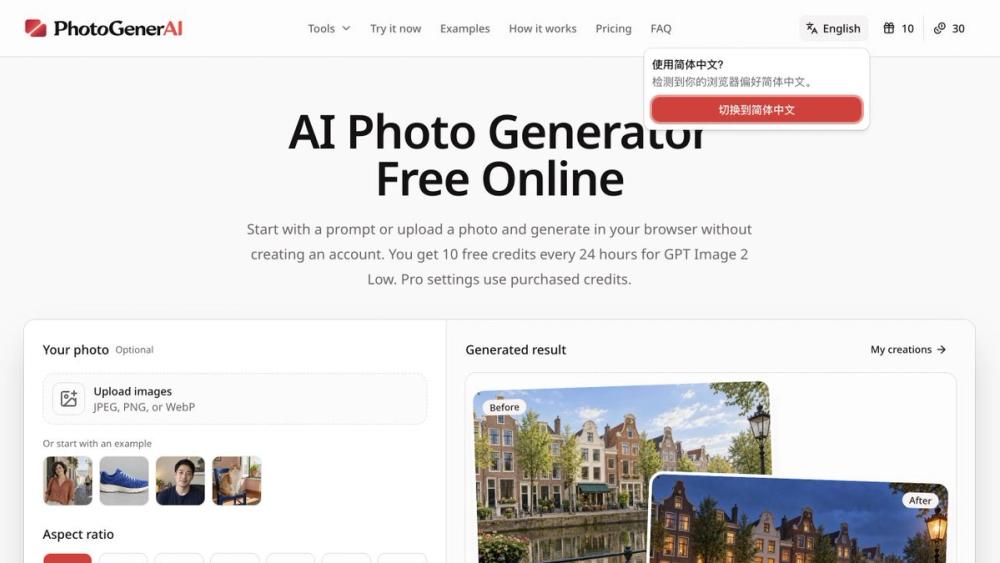
PhotoGenerAI is an AI photo generator and editor that runs in your browser. Start with a text prompt to create an image, or upload reference photos and describe the changes you want. The same workspace supports creating new pictures and editing existing ones.
Ways to use it
Explore backgrounds and lighting, develop product photo concepts, restyle portraits, and combine multiple reference images. Describe the subject, setting, composition, and details that matter to your idea. Use the result as a starting point, then refine your prompt and inspect the next version.
Controls
Choose an aspect ratio that fits the intended use. The interface also provides model and quality choices, so you can select the available settings before generating. Review generated details before downloading or using an image.
Free and paid access
Visitors can try GPT Image 2 Low without creating an account, using 10 free credits every 24 hours. Pro settings use purchased credits. The free allowance is a limited daily allocation, not unlimited generation.
Getting started
Open PhotoGenerAI, enter a prompt or add your reference photos, choose the settings, and generate. Adjust your instructions when the output needs a different background, lighting, or composition.