Newsletter
Join the Community
Subscribe to our newsletter for the latest news and updates











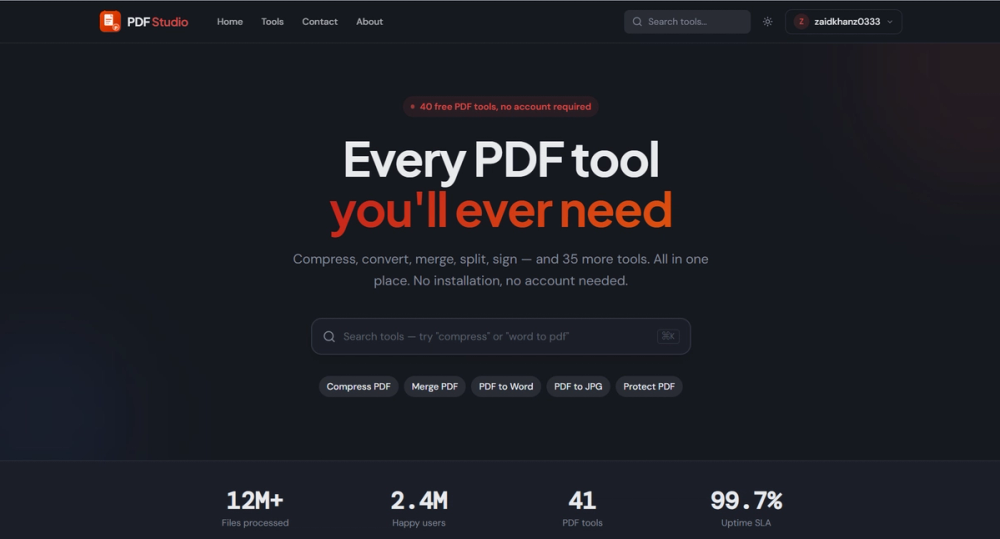
40 free online PDF tools. Merge, split, compress, convert, sign, and edit PDFs in your browser. No uploads, no sign-up, completely free.
PDF Studio offers a comprehensive suite of over 40 free online PDF tools designed to simplify document management directly within your web browser. This powerful platform eliminates the need for software installations, subscriptions, or even user accounts, making it an exceptionally convenient and secure solution for anyone needing to manipulate PDF files. The core philosophy behind PDF Studio is to provide robust functionality with maximum privacy and ease of use.
One of the most significant advantages of PDF Studio is its commitment to user privacy. Unlike many online PDF services that require you to upload your sensitive documents to their servers, PDF Studio processes all files locally in your browser. This "no uploads" approach ensures that your data never leaves your device, offering a superior level of security and peace of mind, especially when dealing with confidential information. Furthermore, the platform is entirely free, with no hidden costs, premium features locked behind paywalls, or annoying advertisements disrupting your workflow. There's also no need to sign up or register, allowing for instant access to all tools without any barriers.
The extensive array of tools covers virtually every common PDF manipulation task. Users can effortlessly merge multiple PDF documents into a single file, perfect for combining reports, presentations, or research papers. Conversely, the split tool allows for precise extraction of specific pages or ranges from a larger PDF, enabling users to create smaller, more manageable documents. File size is often a concern, especially when sharing documents via email; PDF Studio addresses this with its efficient compression tool, which significantly reduces file sizes without compromising quality.
Conversion capabilities are another cornerstone of PDF Studio. It supports a wide range of conversions, allowing users to transform PDFs into popular formats like Microsoft Word, Excel, and various image formats such as JPG, PNG, and TIFF. This bidirectional conversion functionality also extends to creating PDFs from these formats, providing a versatile solution for document interoperability. For legal and business professionals, the ability to sign PDFs digitally directly in the browser is invaluable, streamlining workflows and ensuring document authenticity. Basic editing features are also available, enabling users to make quick adjustments to text, images, or pages within their PDF documents.
PDF Studio is ideal for a diverse audience, from students needing to organize academic papers and convert lecture notes, to business professionals managing contracts, invoices, and reports, and even everyday users who occasionally need to modify personal documents. Its intuitive interface ensures that even those with minimal technical expertise can navigate and utilize its advanced features effectively. The platform's accessibility, combined with its robust feature set and strong emphasis on privacy and cost-free usage, positions PDF Studio as a leading choice for online PDF management. It truly embodies the concept of powerful tools made simple and secure for everyone.