LogoToolFame
  • Category
  • Blog
  • Pricing
  • Submit
LogoToolFame
  1. Home
  2. Category
  3. Muse Video

Muse Video

Create cinematic AI videos with Muse Video from text or images. Explore realistic motion, native audio, flexible models, and start generating online.

Visit Website
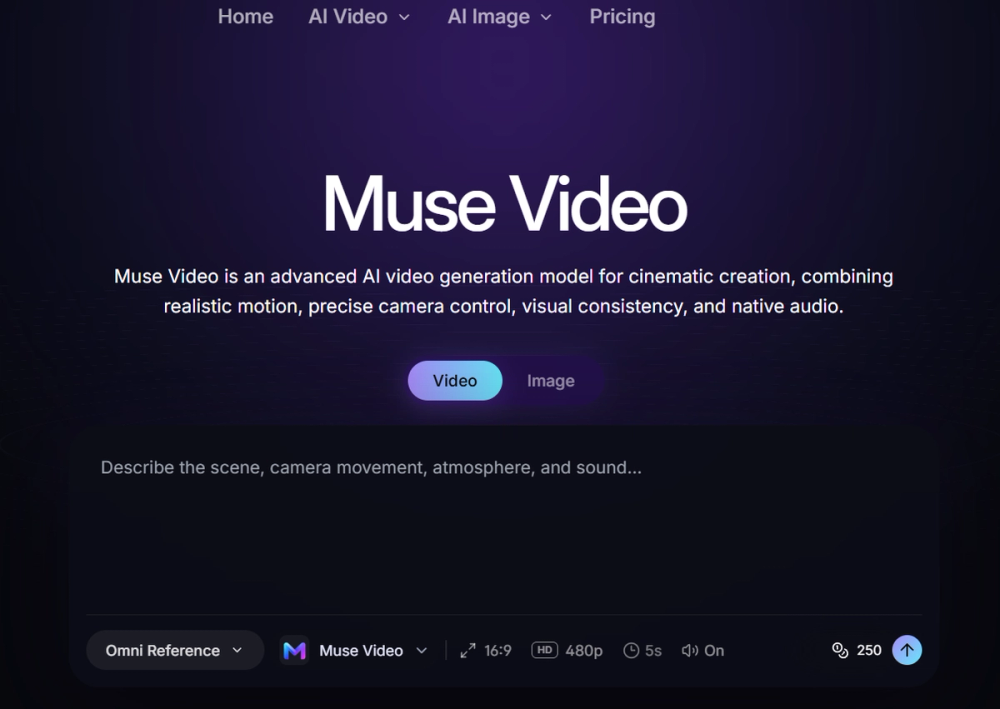
image of Muse Video
Visit Website

Introduction

Muse Video is an advanced AI video generation model designed for cinematic creation, enabling users to transform detailed text prompts and reference images into dynamic, high-quality videos. Developed by Meta Superintelligence Labs, it emphasizes prompt adherence, visual fidelity, and temporal consistency, ensuring subjects and scenes remain coherent throughout the video.

Key Features:
  • Text-to-video generation: Describe subjects, actions, settings, and camera direction in natural language to create moving visual concepts.
  • Image-to-video workflow: Guide motion using a reference image, ideal for maintaining specific compositions or product details.
  • Temporally consistent motion: Ensures visual coherence across frames, a core focus highlighted by Meta.
  • Cinematic camera control: Utilize prompt language to define framing, tracking, handheld movement, pacing, lighting, and atmosphere.
  • Native audio direction: Generate aligned audio and picture from the same creative instruction, with ongoing improvements in synchronization.
  • Prompt and visual fidelity: The model closely follows requested scenes, preserving detail and consistent visual direction.
  • Flexible generation settings: Customize aspect ratio, duration, resolution, and audio options based on the selected model.
  • Reusable creation library: Organize prompts and generated assets for repeatable creative workflows.
How to Use Muse Video:
  1. Enter a Prompt: Describe your video idea, including subject, scene, visual style, motion, camera direction, sound, and intended duration.
  2. Generate the Video: Review editable directions and reference images, select the model and settings, then initiate the generation.
  3. Review and Export: Evaluate motion and reference consistency, then export the best result for various applications.
Who Should Use Muse Video:
  • Content creators: Produce short-form social videos, visual stories, and repeatable concepts efficiently.
  • Marketers: Generate multiple promotional directions from a single brief, comparing concepts before committing production budgets.
  • Filmmakers: Explore staging, lenses, camera movement, atmosphere, and story beats during previsualization, storyboarding, and pitching phases.
  • Designers: Add movement to static visual concepts and test how layouts, characters, or product compositions evolve over time.
  • Brands: Create product-focused clips and branded visual variations for launches, landing pages, and social campaigns.
  • Creative teams: Rapidly prototype diverse directions, share moving references, and achieve alignment on ideas before large-scale production.

Muse Video aims to empower creators to explore ideas earlier, generate more variations, and communicate motion effectively without the need for traditional production methods.


Back

Information

  • Publisher
    snapterra
  • Websitemusevideo.io
  • Published date2026/09/29

Categories

  • AI
  • Video
  • Content creation

Tags

  • AI
  • Web
  • Professional
  • English Supported
  • Advanced
image of ProductFame
Sponsored
MarketingSEODirectories

ProductFame

ProductFame is a product launch platform that helps users discover popular products and helps founders gain real feedback, early traffic, and valuable...

More Products

image of OldRoll
ImageContent creationDesign
Visit Details

OldRoll

Details

Transform your photos with Digicam, Film, Y2K, 90s, VHS, and Dreamy retro effects. Fine-tune the light, color and texture, all in your browser.

WebFreeAndroidiOSEnglish Supported
image of Picmim
Social MediaAIContent creation
Visit Details

Picmim

Details

Picmim learns your business, writes your posts, and helps you stay consistent on social media without the daily effort.

AIWebPaidEnglish SupportedProfessional
image of Process Street
AIProductivityManagement
Visit Details

Process Street

Details

Process Street turns recurring work into AI-powered workflows with clear owners, approvals, required information, and a record of every run.

AIEnglish SupportedPaidProfessionalWeb

Newsletter

Join the Community

Subscribe to our newsletter for the latest news and updates

LogoToolFame

ToolFame - Popular Online Tools Directory

X (Twitter)
Made with❤️byHyhor
Product
  • Submit
  • Pricing
  • Category
Explore
  • Tag
  • Blog
  • Collection
Contact
  • Twitter
  • Email
More
  • About Us
  • Privacy Policy
  • Terms of Service
  • Sitemap

Quick Links - Explore more trending tools & products

  • AI Tools
  • Video Tools
  • Audio Tools
  • Image Tools
  • Animation Tools
  • 3D Tools
  • Writing Tools
  • Data Analysis Tools
  • Social Media Tools
  • Productivity Tools
  • Content creation Tools
  • Directories Tools
  • Development Tools
  • Freelancer tools Tools
  • Boilerplates Tools
  • Remote work Tools
  • Design Tools
  • Chatbot Tools
  • Daily Life Tools
  • Community Tools
  • Legal Tools
  • Finance Tools
  • E-commerce Tools
  • Marketing Tools
  • SEO Tools
  • Health Tools
  • Research Tools
  • Education Tools
  • Translation Tools
  • Monitoring Tools
  • Management Tools
  • Inspiration Tools
Copyright © 2026 All Rights Reserved.
Featured on ProductFameFeatured on aitoolfame.comFeatured on saasfame.comFeatured on toolfame.comFeatured on directoryfame.comFeatured on findly.toolsFeatured on Startup FameListed on Turbo0Featured on Dofollow.ToolsFazier badgeFeatured on Twelve Tools