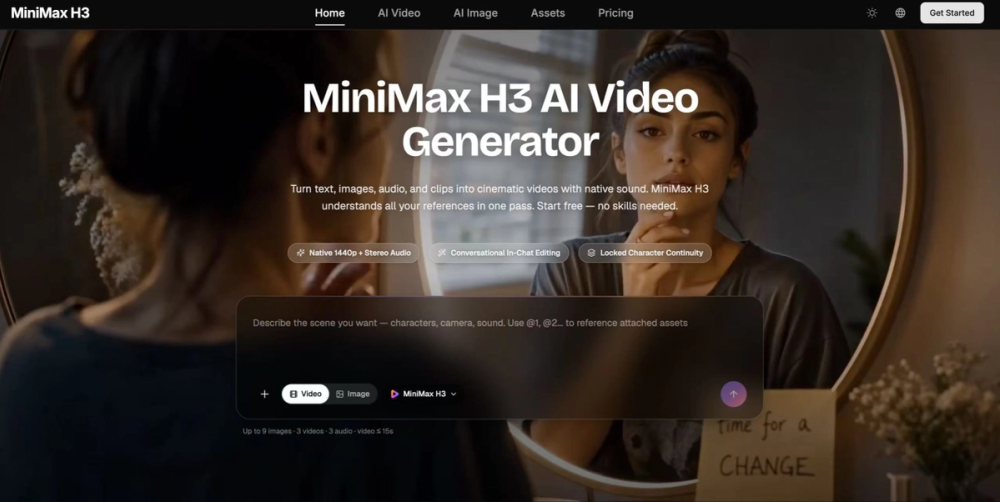
MiniMax H3: What It Actually Does, and Where It Fits
Ask anyone who has shipped AI video on a deadline what the hard part is, and almost nobody says "generating the clip." The generation is the easy twenty seconds. The hard part is everything wrapped around it — the clip comes out silent, so it goes into a second tool for sound. The character's face drifts between shot two and shot three, so both get regenerated. The client asks for a different jacket, and because there's no way to change one element without touching the rest, the whole render starts over. Four hours of work, most of it spent stitching outputs from tools that don't know about each other.
MiniMax H3 is built around collapsing that. It's a general-purpose multimodal video model, which in practice means it treats text, images, video clips, and audio as one creative context rather than four separate input types feeding four separate pipelines. You describe an outcome once. The model handles visuals, motion, camera, and sound as a single job.
Native audio changes the workflow more than it sounds like it should
Every H3 generation ships with two-channel stereo audio: room ambience, sound effects, music, and dialogue synced to lips and expression. On paper that reads like a feature bullet. In a real workflow it removes an entire stage.
Editing that costs a sentence
The second structural difference is instruction-based editing, and it's the one that changes how iteration feels.
Upload a clip, describe the change in plain language, and H3 applies only that change while leaving the rest pixel-stable. Swap a cat for a dog. Turn a green screen into a fairytale forest. Shift a scene from midday to dusk and watch the lighting on the subject follow. Change the outfit on a runway model and have the fabric behave correctly against her existing motion. Remove an object. Rewrite a line of dialogue in the same cloned voice.
Starting
Type an idea, or upload references and let those carry the description. Pick an aspect ratio, generate, then refine in plain language until it matches what you had in your head. Download and use it.
The MiniMax H3 video generator is free to try — signup credits, no card required, and the free tier runs the full model rather than a reduced version. Paid plans add credits, priority processing, batch generation, and commercial usage rights for ads, e-commerce listings, brand films, and client work.
Start narrow. One subject, one action, one camera move. Get a feel for how the model reads your language before layering in references and edits. Generate your first video and see what a single sentence turns into.