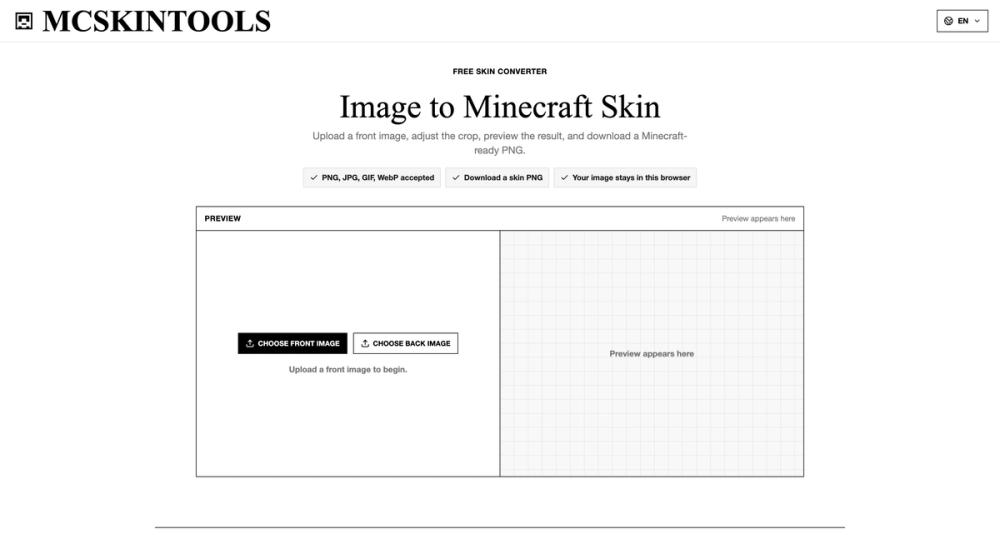
MCSkinTools is a free online image-to-Minecraft-skin converter that turns ordinary pictures into ready-to-use Minecraft character skins. Upload an image, adjust the crop position, preview the result in real time, and download the finished skin as a PNG file. No design experience or manual pixel editing is required. The converter supports standard 64×64 Java Edition skins as well as 128×128 HD skins for compatible platforms and workflows. Its live preview helps you see how the source image will be mapped onto the Minecraft skin template before exporting, making it easy to correct the crop and get a better result. MCSkinTools is designed to be quick and straightforward:
- Upload an image from your device.
- Reposition the crop area to select the part you want to use.
- Choose the preferred output resolution.
- Preview the generated Minecraft character.
- Download the completed skin as a PNG. All image processing takes place locally in your browser. Your uploaded files are not sent to a server, providing a fast and private workflow without accounts, installations, or waiting for remote processing. The tool works best with clear, front-facing portraits, avatars, illustrations, game characters, and other images with a recognizable central subject. It can be used to create personal Minecraft skins, transform profile pictures into block-style characters, experiment with skin concepts, or quickly prepare a base skin for further editing. MCSkinTools runs directly in modern desktop and mobile browsers and is free to use. Whether you are creating your first Minecraft skin or looking for a faster alternative to editing every pixel manually, it offers a simple way to convert an image into a downloadable Minecraft skin.