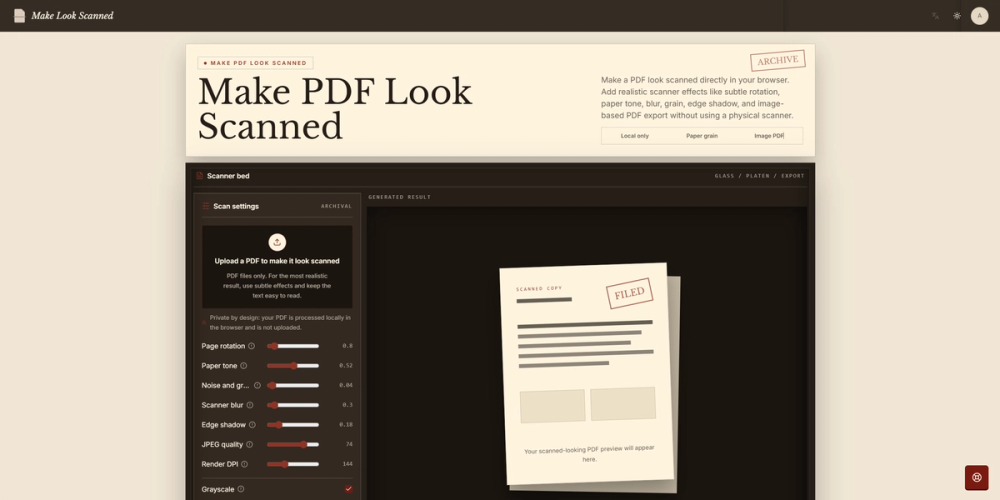
Make Look Scanned is a browser-based PDF utility that turns clean digital documents into realistic scanned-looking PDFs without requiring a printer, physical scanner, or image-editing software.
Users upload a PDF, customize the scanner effect, preview the processed pages, and download a new flattened PDF. Available controls include subtle page rotation, warm paper tone, optical blur, noise and grain, edge shadows, grayscale mode, rendering DPI, and JPEG quality. Combining these effects helps recreate the slight misalignment, softness, texture, and compression commonly found in real document scans.
The tool supports multi-page PDFs. Each page is rasterized, processed individually, and embedded back into an image-based PDF while preserving the original page dimensions.
All document processing runs locally in the user’s browser rather than uploading the source file to a remote server. This makes the tool suitable for contracts, forms, signed documents, administrative files, and other PDFs that users prefer to process on their own devices.
Make Look Scanned is useful for professionals, students, freelancers, and office teams that need a quick and straightforward way to produce a natural printed-and-scanned appearance.