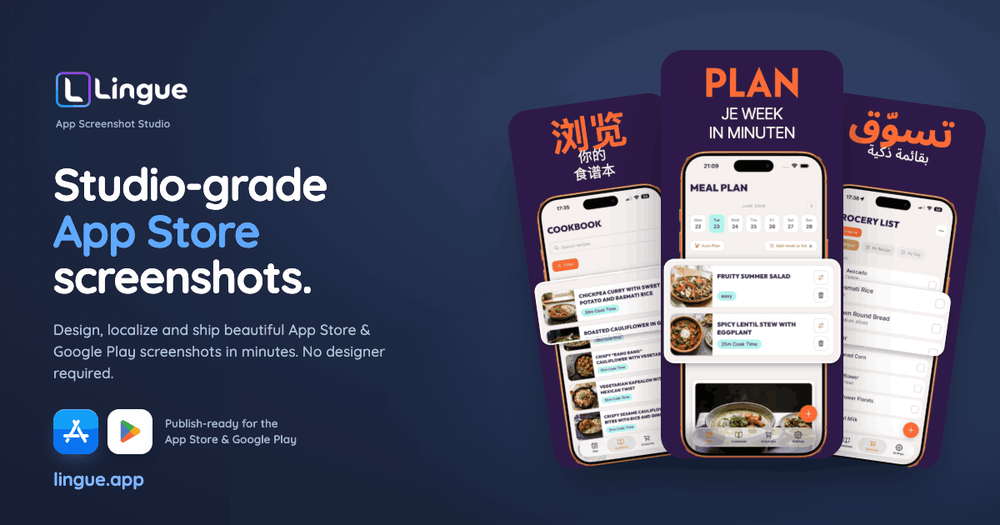
Lingue is an innovative platform designed to help app developers and studios create, localize, and publish App Store and Google Play screenshots efficiently, aiming to boost app installs by up to 30%. It streamlines the entire process from raw app screens to ASO-optimized, store-ready assets, eliminating the need for extensive design skills or manual localization efforts.
Key Features:
- ASO-Optimized First Drafts: Users can upload raw app screens and Lingue automatically generates an ASO-optimized draft with benefit-led headlines in minutes. This feature significantly reduces the initial design effort, allowing users to start from an 80% complete state rather than a blank canvas.
- Comprehensive Design Editor: Lingue provides a real canvas editor, not just templates. Every element on the screenshot is editable, allowing users to move, restyle, reframe, and magnify components to perfectly match their brand and messaging. This offers flexibility beyond typical template-based tools.
- Advanced Localization: The platform supports localization into every language supported by both the App Store and Google Play, including right-to-left (RTL) layouts for languages like Arabic and Hebrew. Users can translate entire screenshot sets with a single click and even override copy, fonts, and spacing on a per-locale basis without creating duplicate projects. This is a major time-saver for global app releases.
- Direct Store Syncing: Lingue integrates directly with App Store Connect and Google Play, enabling users to push their finished, localized screenshot sets straight to both stores. This eliminates the tedious and error-prone process of manually uploading dozens of files.
- Exact Resolution Exports: The tool ensures that all exported screenshots for iPhone, iPad, and Android devices meet the precise resolution requirements of the app stores, preventing common submission issues.
- Branding Customization: Users can maintain their brand identity by utilizing any Google Font or uploading their own custom fonts. It also supports pixel-accurate device frames or frameless designs.
- Versioning (Pro Feature): For Pro users, Lingue offers versioning capabilities, allowing them to snapshot, branch, and restore screenshot sets. This is crucial for experimenting with different designs safely and managing iterations.
Use Cases:
- Solo Developers: Quickly generate professional, converting screenshots for a handful of apps without hiring a designer.
- App Development Teams and Studios: Manage multiple app projects, localize screenshots for various markets, and streamline the publishing workflow across different store accounts.
- Marketing Professionals: Optimize app store listings for better conversion rates through compelling and localized visuals.
Lingue positions itself as a cost-effective alternative to hiring freelance designers for localization, offering a comprehensive solution for app store screenshot management that saves time, reduces complexity, and aims to increase app installs.