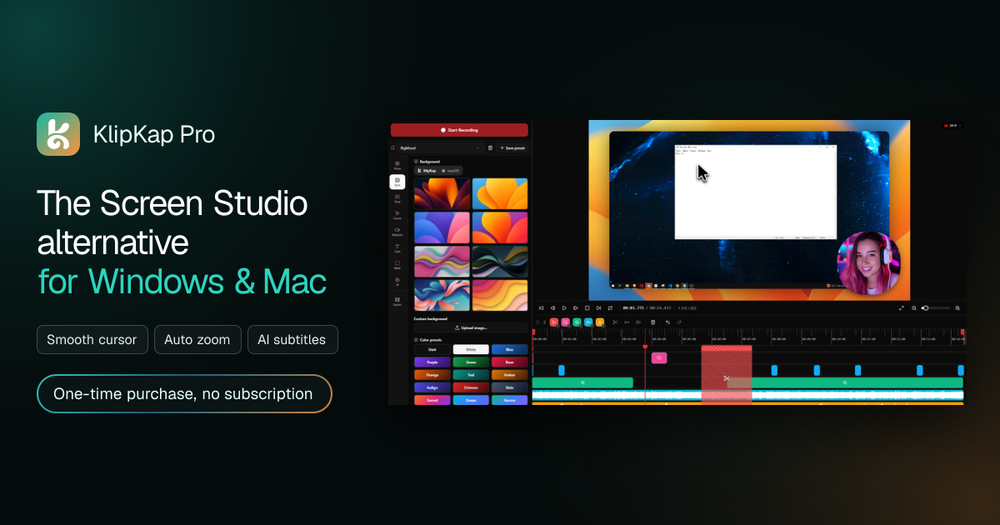
KlipKap Pro is a powerful screen recording and editing software designed as Screen Studio alternative for Windows and Mac, offering a seamless experience for creating polished video content. Positioned as a robust alternative to Screen Studio, KlipKap Pro distinguishes itself with a one-time purchase model, eliminating recurring subscription fees. The software is engineered to automate the most time-consuming aspects of video production, allowing users to focus on content creation rather than complex editing workflows.
At its core, KlipKap Pro simplifies the entire video creation process into three intuitive steps: Record, Auto-Edit, and Export. Users can effortlessly record their screen, specific windows, or custom regions, simultaneously capturing webcam footage and all audio sources with perfect synchronization from the first frame. This multi-source capture capability ensures that all necessary elements are recorded in one go, streamlining the initial stage of production.
The "Auto-Edit" feature is where KlipKap Pro truly shines, leveraging intelligent automation to transform raw footage into cinematic-quality videos. Key automatic enhancements include:
- Smooth Mouse Movement: Transforms shaky, erratic cursor paths into fluid, intentional glides, making mouse interactions appear professionally edited.
- Smart Zoom on Clicks: Automatically applies zoom animations on every click, drawing viewers' attention to critical areas without manual keyframing.
- AI Audio Cleanup: Utilizes artificial intelligence to remove background noise, keyboard clatter, and room echo, delivering crystal-clear, studio-quality audio without manual processing or external plugins.
- Instant AI Subtitles: Generates word-level subtitles with precise timing in over 50 languages, all processed locally on your machine without requiring an internet connection, API keys, or per-minute credits.
- Animated Webcam PiP: Offers picture-in-picture webcam overlays with automatic framing and flexible positioning options.
- Customization: Provides twelve distinct cursor styles, options to mask private information, and tools to cut sections without breaking synchronization, alongside full customization capabilities for a personalized touch.
KlipKap Pro is built to cater to a diverse range of users, including:
- Developers & SaaS Teams: Facilitates faster communication by enabling quick creation of bug reproductions, asynchronous product demos, and engaging changelog videos with features like cursor highlights and auto-zoom.
- Content Creators: Empowers YouTubers, educators, and tutorial makers to produce professional-looking content with minimal effort, offering AI subtitles, cinematic cursor effects, and one-click exports optimized for platforms like YouTube, TikTok, and Shorts.
- Marketers: Allows in-house production of polished product walkthroughs and feature announcements, supporting various social-ready formats (16:9, 9:16, 1:1, 4:5) and animated backgrounds.
- Educators & Trainers: Helps scale course content by providing multi-source audio with noise suppression, accurate word-level subtitle timing, and a non-linear editor for chapter cuts, making it easy to build extensive training libraries.
A significant advantage of KlipKap Pro is its commitment to user privacy and ownership. Unlike many cloud-based subscription services, KlipKap Pro operates primarily offline; all recording, editing, AI subtitles, and AI audio cleanup are executed locally on your machine, ensuring your footage remains private and secure. The software supports both Windows 10/11 and macOS 13 Ventura or later, including x64 and ARM64 processors, offering consistent features across platforms. With its focus on automation, local processing, and a transparent one-time payment model, KlipKap Pro stands out as a comprehensive and user-friendly solution for anyone looking to create high-quality screen recordings efficiently.