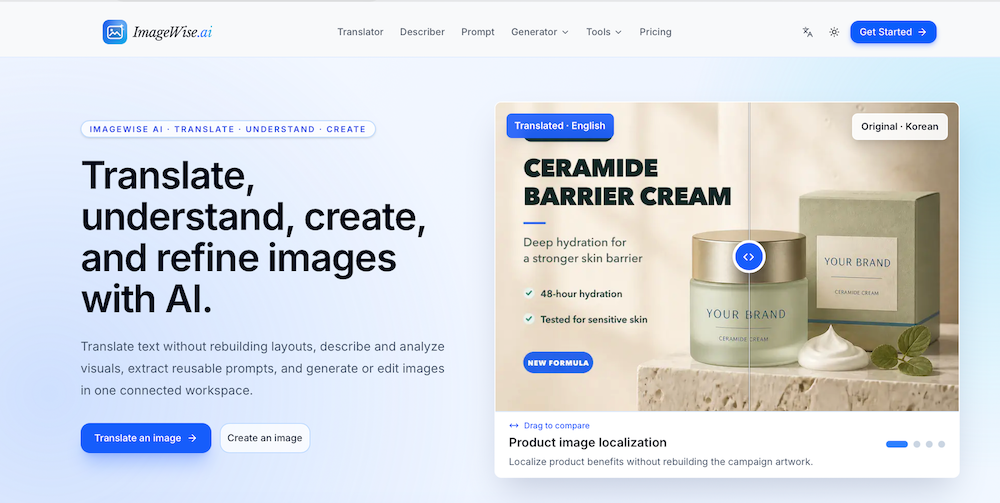
ImageWise.ai is a comprehensive AI-powered platform designed to translate, understand, create, and refine images within a single, connected workspace. It eliminates the need to switch between multiple tools by offering a wide array of functionalities, from advanced AI capabilities to essential image editing and enhancement features.
Key AI Features:
- AI Image Translator: This core feature allows users to translate text embedded within images while meticulously preserving the original visual layout and design. This is particularly useful for localizing product graphics, menus, campaigns, or manga without the need for extensive graphic redesign. It supports a broad range of source and target languages, ensuring global applicability.
- AI Image Generator: Users can create new images from textual prompts or reference images, providing a powerful tool for content creation and ideation. Generated images can then be further edited or enhanced within the platform.
- Image Describer: Automatically generates clear, concise descriptions, captions, and alt text for any uploaded image. This is invaluable for improving accessibility, SEO, and content management.
- Image to Prompt: Transforms existing reference images into structured, reusable AI image prompts. This helps users understand the underlying visual elements and styles, enabling them to generate similar or derivative images more effectively.
- Chat With Image: An interactive feature that allows users to ask questions about images and receive contextual answers, facilitating deeper understanding and analysis of visual content.
- Image Analyzer: Provides detailed analysis of image content, helping users extract insights and information from their visuals.
Image Editing and Enhancement Tools:
ImageWise.ai also integrates a robust suite of editing and enhancement tools, catering to both everyday adjustments and more complex AI-driven reconstructions:
- Image Outpaint: Intelligently extends images to new aspect ratios, filling in missing areas while preserving key details and maintaining visual coherence.
- Remove Background: Accurately isolates subjects from their backgrounds, allowing for the export of clean, transparent PNG files, ideal for e-commerce and graphic design.
- AI Image Upscaler: Utilizes AI to recover lost detail and enlarge small images by factors of 2x, 3x, or 4x, significantly improving image resolution and quality.
- AI Image Enhancer: Improves overall image quality by refining details, sharpening edges, enhancing faces, reducing noise, and correcting compression artifacts.
- Blur Image: Offers the ability to selectively blur parts of an image, such as faces, license plates, or sensitive text, for privacy or aesthetic purposes.
- Image Splitter: Divides images into grids, tiles, or specific social media layouts, simplifying content preparation for various platforms.
- Image Inverter: Inverts image colors, useful for creative effects or checking accessibility contrasts.
- Flip Image: Flips images horizontally, vertically, or creates a mirror view.
- Merge Images: Combines multiple images into a single horizontal or vertical strip.
- Image Compressor: Reduces file sizes while striving to preserve clear and usable image quality, optimizing images for web use.
- Image Resizer: Allows precise resizing of images to exact dimensions, with an option to lock the aspect ratio.
- Image Converter: Converts images between popular formats like PNG, JPG, and WebP directly in the browser.
- Image Cropper: Crops images to common aspect ratios, ensuring the most important area remains in frame.
- Add Watermark: Enables users to add custom text or logo watermarks with adjustable size, position, color, and opacity.
- Remove Image Metadata: Strips EXI...