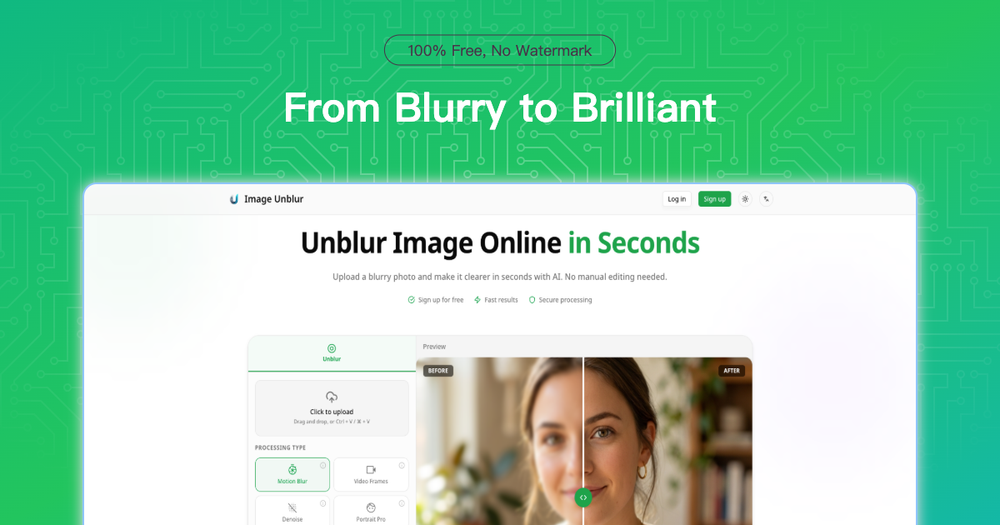
ImageUnblur is an advanced online AI tool designed to restore clarity to blurry photos in seconds. Leveraging sophisticated machine learning algorithms, it intelligently analyzes and reconstructs missing visual details caused by various types of blur, including motion blur, out-of-focus shots, and low-resolution issues, all without requiring any Photoshop expertise.
The process is straightforward and user-friendly, involving just three simple steps:
- Select Your Image: Users can easily drag and drop or upload their blurry photos. The platform supports JPG, PNG, and WebP formats, with a maximum file size of 10MB. A free signup is available to begin.
- AI Enhancement: ImageUnblur's powerful AI analyzes the uploaded photo and applies intelligent restoration techniques. Users can choose from multiple enhancement modes specifically optimized for different blur types, ensuring the most effective fix.
- Download Result: After processing, users can instantly preview and compare the before-and-after images. Enhanced images can be downloaded for free, with an option to upgrade to a Pro plan for 4K resolution and access to premium AI models.
ImageUnblur excels at fixing a wide range of blur types. Unlike traditional sharpening tools that merely increase contrast, its AI identifies degradation patterns and reconstructs information naturally. It effectively addresses:
- Motion Blur: Caused by camera shake or moving subjects, resulting in streaks and softness.
- Out-of-Focus: Blurs from missed autofocus or shallow depth of field.
- Compression Artifacts: Quality loss from social media, messaging apps, or JPEG compression.
- Low Resolution: Lack of detail in old scans, small thumbnails, or screenshots.
The tool is versatile and applicable to numerous real-world scenarios:
- Clearer Portraits & Selfies: Enhances facial edges and fine details like eyes and hair, maintaining a natural look.
- Sharper Product Images: Reduces motion blur and improves clarity for textures, materials, and labels, making product listings more professional.
- Restore Old Memories: Boosts clarity and reduces noise in scanned and vintage photos, defining faces and edges.
- Make Text More Readable: Enhances edges and contrast in blurry screenshots, receipts, or documents for better readability and OCR compatibility.
- Fix Low-Light Blur: Improves clarity and reduces noise in night photos affected by slow shutter speeds and high ISO.
- Improve Social Media Images: Cleans up compression artifacts and enhances clarity for reposting or printing.
Key features of ImageUnblur include:
- Natural-Looking AI Image Unblur: Utilizes deep learning trained on millions of image pairs to produce realistic unblurred photos, avoiding over-processed appearances.
- Upscale After You Unblur: Offers the ability to increase image resolution up to 4x post-unblurring, ideal for printing or professional use.
- Unblur + Denoise in One Step: Simultaneously cleans up noisy or compressed images while unblurring, particularly useful for low-light and social media photos.
- Multiple Unblur Modes: Provides specialized AI models for different blur types: motion blur, video frame mode, denoise mode, and portrait mode.
- Secure Image Unblur: Ensures privacy by processing photos on secure servers and automatically deleting them after 2 hours, with a strict policy against using images for AI training.
- Unblur Multiple Images at Once: Supports batch processing for users with free accounts, saving time when fixing multiple photos.
ImageUnblur stands out for its speed, delivering most unblur results in under 30 seconds. It prioritizes user privacy, offering a generous free tier without requiring a credit card, and ensures no watermarks on free downloads.