Image to Video AI is an advanced online platform that leverages artificial intelligence to transform static images into dynamic, cinematic videos. This innovative tool simplifies video creation, making it accessible to everyone, regardless of their editing skills or prior experience with complex software. By eliminating the need for expensive tools and intricate editing processes, Image to Video AI empowers users to produce high-quality video content efficiently and effectively.
Key Features:
- No Editing Skills Required: The platform is designed for ease of use. Users simply upload an image and provide a text prompt describing the desired motion or video style. The AI engine then automatically handles all the animation, transitions, and effects, generating professional-grade videos without manual intervention. This makes it ideal for individuals and businesses looking to create engaging video content quickly.
- Multiple AI Video Models: Image to Video AI offers access to various specialized AI models. These models are optimized for different video styles, ranging from fast-paced clips to more cinematic and realistic productions. Users can select a specific model to achieve a particular aesthetic or opt for an auto mode, allowing the system to intelligently choose the best model for their uploaded content and prompt. This flexibility ensures a wide range of creative possibilities.
- HD & 4K Quality Export: The tool supports high-definition video output, allowing users to generate videos in resolutions such as 720p, 1080p, and even 4K. This ensures that the exported videos maintain smooth frame rates and professional quality, making them suitable for diverse applications, including social media, marketing campaigns, presentations, and client projects.
- Commercial Use License: All videos generated through Image to Video AI come with full commercial usage rights. This crucial feature allows businesses, marketers, and content creators to confidently use their AI-generated videos for advertising, social media promotions, product showcases, and other commercial purposes without worrying about licensing restrictions.
How It Works (Three Simple Steps):
- Upload Your Image: Begin by easily uploading a photo from your device. The platform supports popular image formats like JPG, PNG, and WEBP, with a maximum file size of 20MB. Users can try the service without needing to sign up, offering a seamless entry point.
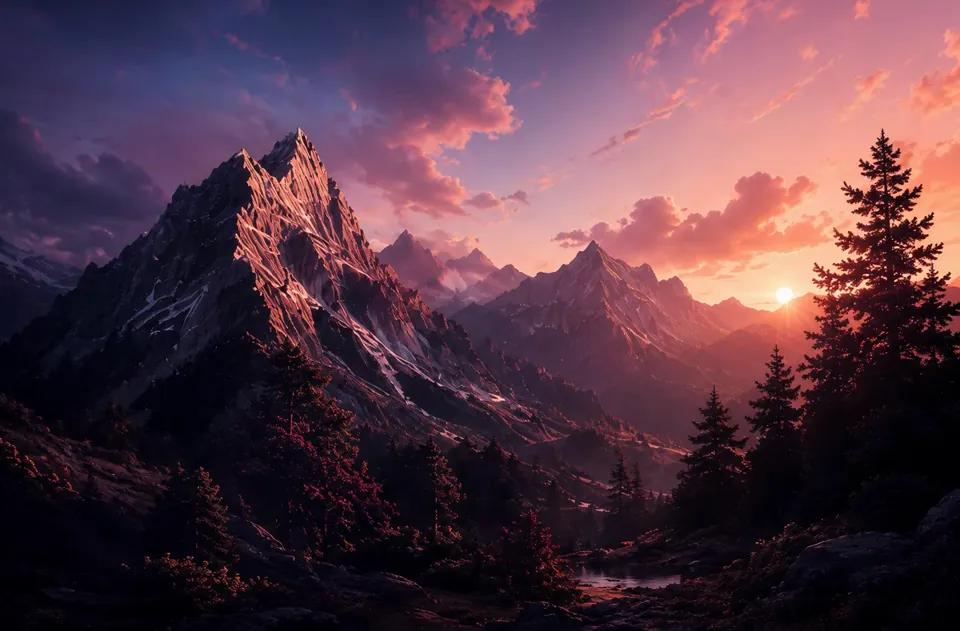
- Describe the Motion: After uploading, users provide a text prompt to describe the desired video motion. Examples include "cinematic zoom with gentle wind effect" or "slow pan across a serene landscape." Additionally, users can specify parameters such as aspect ratio, video duration, and resolution to fine-tune the output. The AI then processes these inputs to generate the video.
- Download Your Video: Within seconds, the AI-generated video is ready for download. Users can obtain their videos in HD quality, ready for immediate use across various platforms. Whether for social media reels, marketing advertisements, business presentations, or personal creative projects, the videos are optimized for impact.
Use Cases:
Image to Video AI is a versatile tool for a broad audience, including:
- Freelance Photographers: Quickly convert product images into short, dynamic videos for ads, enhancing visual appeal and engagement.
- Graphic Designers: Transform static renders and concept images into animated presentations for clients, making designs more immersive.
- Community Managers: Create engaging vertical videos for social media by reusing existing photos and adding motion prompts, boosting audience interaction.
- Architects: Present static architectural designs with subtle pans or zooms to clients, making them easier to visualize.
- Travel Bloggers:...