LogoToolFame
  • Category
  • Blog
  • Pricing
  • Submit
LogoToolFame

Newsletter

Join the Community

Subscribe to our newsletter for the latest news and updates

LogoToolFame

ToolFame - Popular Online Tools Directory

X (Twitter)
Made with❤️byHyhor
Product
  • Submit
  • Pricing
  • Category
Explore
  • Tag
  • Blog
  • Collection
Contact
  • Twitter
  • Email
More
  • About Us
  • Privacy Policy
  • Terms of Service
  • Sitemap

Quick Links - Explore more trending tools & products

  • AI Tools
  • Video Tools
  • Audio Tools
  • Image Tools
  • Animation Tools
  • 3D Tools
  • Writing Tools
  • Data Analysis Tools
  • Social Media Tools
  • Productivity Tools
  • Content creation Tools
  • Directories Tools
  • Development Tools
  • Freelancer tools Tools
  • Boilerplates Tools
  • Remote work Tools
  • Design Tools
  • Chatbot Tools
  • Daily Life Tools
  • Community Tools
  • Legal Tools
  • Finance Tools
  • E-commerce Tools
  • Marketing Tools
  • SEO Tools
  • Health Tools
  • Research Tools
  • Education Tools
  • Translation Tools
  • Monitoring Tools
  • Management Tools
  • Inspiration Tools
Copyright © 2026 All Rights Reserved.
Featured on ProductFameFeatured on aitoolfame.comFeatured on saasfame.comFeatured on toolfame.comFeatured on directoryfame.comFeatured on findly.toolsFeatured on Startup FameListed on Turbo0Featured on Dofollow.ToolsFazier badgeFeatured on Twelve Tools
  1. Home
  2. Category
  3. Image to Image AI Generator

Image to Image AI Generator

Use our free Image to Image AI generator to transform photos into stunning new looks. No PS needed. Describe what you want and get accurate results in seconds.

Visit Website
image of Image to Image AI Generator
Visit Website

Introduction

Back

Information

  • Publisher
    Ye Code
  • Websiteimgtoimgai.io
  • Published date2026/08/07

Categories

  • AI
  • Image
  • Content creation

Tags

  • AI
  • Free
  • Web
  • Paid
  • Professional
image of ProductFame
Sponsored
MarketingSEODirectories

ProductFame

ProductFame is a product launch platform that helps users discover popular products and helps founders gain real feedback, early traffic, and valuable...

More Products

image of Ottermind
AIProductivityContent creation
Visit Details

Ottermind

Details

Ottermind is an AI agent workspace for real work. It keeps project context, connects tools, and delivers editable results across web, desktop, and mobile.

AIWebWindowsMaciOS
image of PortfolioVideo
AIVideoContent creation
Visit Details

PortfolioVideo

Details

Turn your resume, slides, or LinkedIn profile into a polished AI portfolio video with talking avatars and voice-over. No camera, no editing - share in minutes.

AIWebFreeProfessionalEnglish Supported
image of Try OC Maker
AIVideoImage
Visit Details

Try OC Maker

Details

Try OC Maker is an AI character creation platform for designing original characters from text prompts or reference images.

AIEnglish SupportedFreePremiumWeb

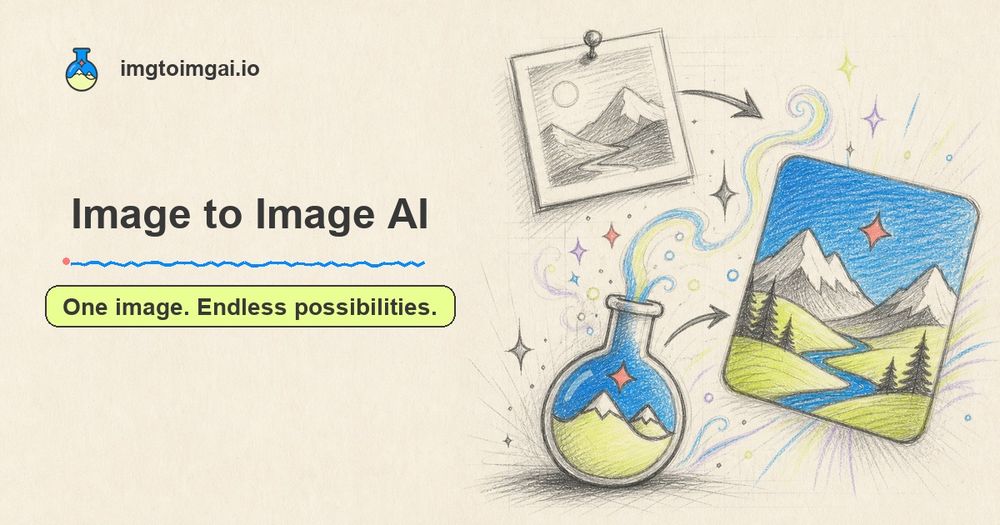
Image to Image AI Generator is a powerful online tool that transforms existing images into stunning new visuals using artificial intelligence. Unlike text-to-image generators that start from scratch, this platform leverages a source image (photo, sketch, or design) as a foundational reference, allowing users to guide the AI with specific prompts to achieve desired transformations. This approach helps the AI understand the subject, layout, and style, enabling precise modifications to backgrounds, styles, lighting, colors, outfits, or entire scenes.

Key Features:

  • Multiple AI Models: Access and compare results from the world's most advanced AI models on a single platform, offering flexibility to choose the best output for your needs.
  • High-Quality Results: Generate images with clear details, natural colors, and clean edges, suitable for professional use in product pages, advertisements, social media, and thumbnails.
  • Fast AI Image Transformation: Experience rapid image generation, allowing for quick iteration and testing of various styles, backgrounds, and colors without complex steps.
  • Easy to Use: The intuitive interface simplifies the process: upload an image, write a prompt, select a model, and generate. No Photoshop or advanced design skills are required.
  • High-Resolution Downloads: Download transformed images in high resolution, preserving fine details for print designs, presentations, and digital platforms.

How to Use Image to Image AI:

  1. Upload Your Image: Select a clear image (product photo, portrait, drawing, etc.) with good lighting and a distinct main subject.
  2. Write Your Prompt: Describe the desired changes in plain language, specifying new backgrounds, art styles, seasons, outfits, colors, or lighting. You can also indicate elements that should remain unchanged.
  3. Choose Your Settings: Select your preferred AI model, resolution, aspect ratio, and other available options to guide the transformation.
  4. Generate and Download: Click 'Generate' to create the new image, then review and download the high-quality result for immediate use.

Use Cases:

  • Photographers: Accelerate photo editing by restyling portraits, changing backgrounds, and experimenting with lighting up to 5x faster, delivering more creative options to clients.
  • Content Creators: Transform a single photo into a week's worth of diverse content, including new scenes, fresh styles, eye-catching thumbnails, and bold covers, increasing posting frequency without starting from scratch.
  • Marketing Teams: Generate up to 3x more campaign visuals from one image, creating variations for ads, landing pages, and social posts, and testing different aesthetics without lengthy design rounds.
  • Online Sellers: Develop multiple product scenes (studio, home, outdoor, seasonal, lifestyle) from one product photo, enriching product pages and ad campaigns with diverse visuals without additional photo shoots.

The platform offers both free and paid options, with subscriptions providing more credits, watermark-free downloads, faster generation, and commercial use licenses.