Image Enhancer Pro
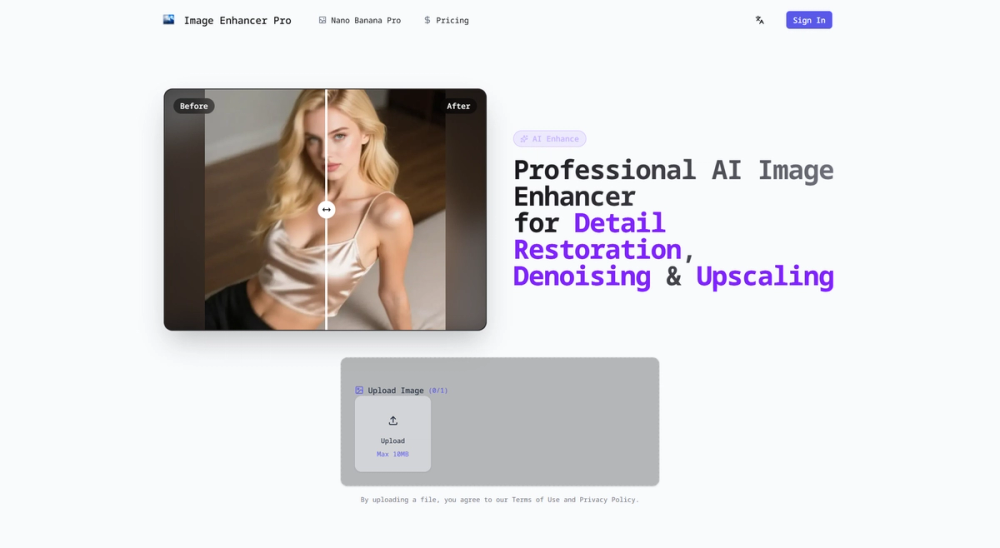
Image Enhancer Pro is a web-based AI image enhancement service designed to restore and improve photo quality using deep learning models. It focuses on deblurring, denoising, detail restoration, face restoration, colorization, and resolution upscaling — all accessible through a simple upload-and-enhance workflow.
Key technical features
- AI Upscaling: Increase resolution up to 8x (800%) using deep learning super-resolution models while preserving fine detail and texture.
- Instant Denoising: Remove grain and noise from low-light and high-ISO images with edge-preserving denoising algorithms.
- Deblur & Sharpen: Restore details lost to motion or focus blur using learned deblurring techniques and adaptive sharpening.
- Face Restoration: Detect faces and reconstruct facial details in old or blurred portraits with specialized face models.
- Colorization: Accurate AI-driven colorization for black-and-white photos using learned priors and color consistency constraints.
- Batch Processing: Process hundreds of images in one job for high-throughput workflows (drag-and-drop support).
- Privacy-first Processing: Server-side processing with automatic deletion policy (documents claim 24-hour auto-delete).
- Web-first UI: No local installs; accessible on desktop and mobile with a simple upload, preview, and export interface.
Practical applications / target users
- E-commerce teams: Sharpen product photos, remove noise, and upscale images for catalogs and ads.
- Photographers: Recover details from low-light or imperfect captures and restore archival images.
- Social media creators: Quickly polish portraits and lifestyle images for feeds and profiles.
- Designers & Developers: Upscale small assets and screenshots for higher-resolution layouts.
- Archivists & hobbyists: Restore old family photos, colorize black-and-white images, and recover faces.
Unique selling points
- Balanced, natural-looking results: Emphasis on realistic restoration rather than over-sharpened artifacts.
- Fast and simple workflow: Minimal settings with preview capability to speed up iterative edits.
- Format compatibility: Supports common camera, phone, and screenshot formats.
- Scalable batch processing: Suitable for single images or large batches without local compute overhead.
Example workflow
- Upload image (supports common image formats).
- Choose enhancement mode (auto or model presets).
- Preview before/after and adjust minor parameters if provided.
- Export enhanced image or queue multiple images for batch processing.