LogoToolFame

Image DPI Converter

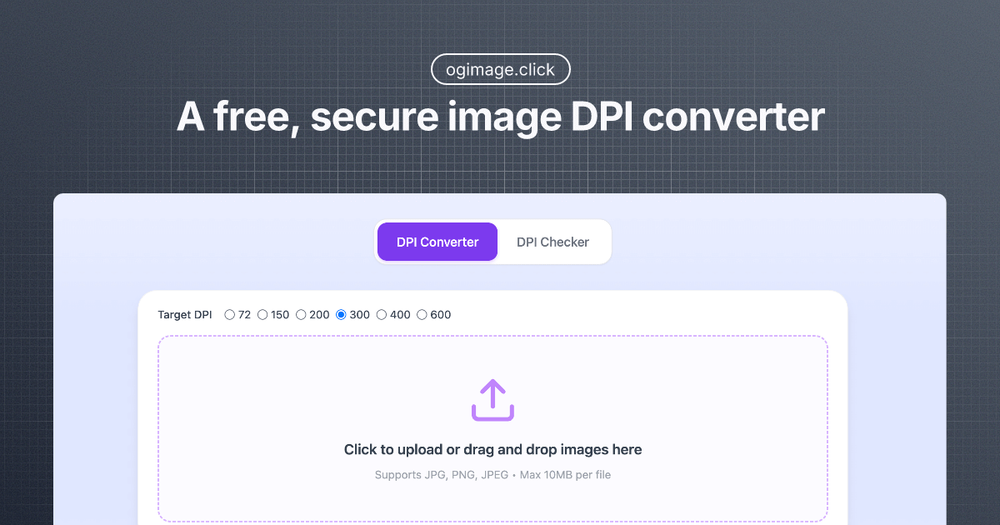
A free, secure image DPI converter. Instantly check & change image DPI locally in your browser. 100% private - no uploads required!

Introduction

Image DPI Converter is a free, secure, and privacy-focused online tool designed to instantly check and change the DPI (Dots Per Inch) of your images directly within your browser. Unlike many other tools, it operates entirely locally on your device, ensuring 100% privacy as no image uploads are required. This makes it an ideal solution for users concerned about data security while needing to adjust image resolution for various purposes, especially professional printing.

The tool offers a straightforward, three-step process for converting image DPI:

  1. Upload Your Image: Easily select your image file or drag and drop it into the designated area. The converter supports popular formats such as JPEG, PNG, and WebP, and all processing is handled securely on your local machine.
  2. Set Target DPI: Choose your desired DPI value. For professional printing quality, 300 DPI is the recommended standard, but you can adjust it based on your specific project needs, with options ranging from 72 DPI for web use to 600 DPI or even custom values up to 1200 DPI.
  3. Download Results: Once the DPI is set, you can instantly download your optimized image with the updated DPI settings, ready for high-quality printing or web publication.

Beyond simple conversion, Image DPI Converter provides a suite of professional features:

  • Advanced DPI Checker: Quickly scan and analyze image metadata to determine the current DPI resolution. This feature helps users understand the existing DPI and identify requirements for optimal print or display quality.
  • Professional DPI Converter: Specializes in transforming images to print-ready quality, particularly for 300 DPI. It allows users to increase the DPI of an image without re-encoding the pixels, thereby preserving the original image quality and only modifying the resolution metadata.
  • Smart Batch Processing: Efficiently handle multiple images at once. This feature is perfect for photographers, designers, or anyone needing to process collections of images, ensuring consistent DPI resolution across all files with a single operation.
  • Intelligent DPI Enhancer: Utilizes smart algorithms to optimize image resolution. It helps users understand the nuances of DPI in printing and how to effectively increase DPI while maintaining visual integrity.
  • Local Privacy Protection: A core differentiator, all image processing occurs directly in your browser. Your files never leave your computer, guaranteeing complete privacy and security.
  • Universal Format Support: Compatible with major image formats including JPEG, PNG, and WebP, ensuring versatility for various applications, whether for web optimization or high-resolution printing.

Image DPI Converter is designed for anyone needing precise control over image resolution, from casual users preparing photos for home printing to professionals requiring specific DPI settings for commercial print jobs. Its emphasis on local processing and ease of use makes it a reliable and secure choice for all your image DPI needs.

Newsletter

Join the Community

Subscribe to our newsletter for the latest news and updates