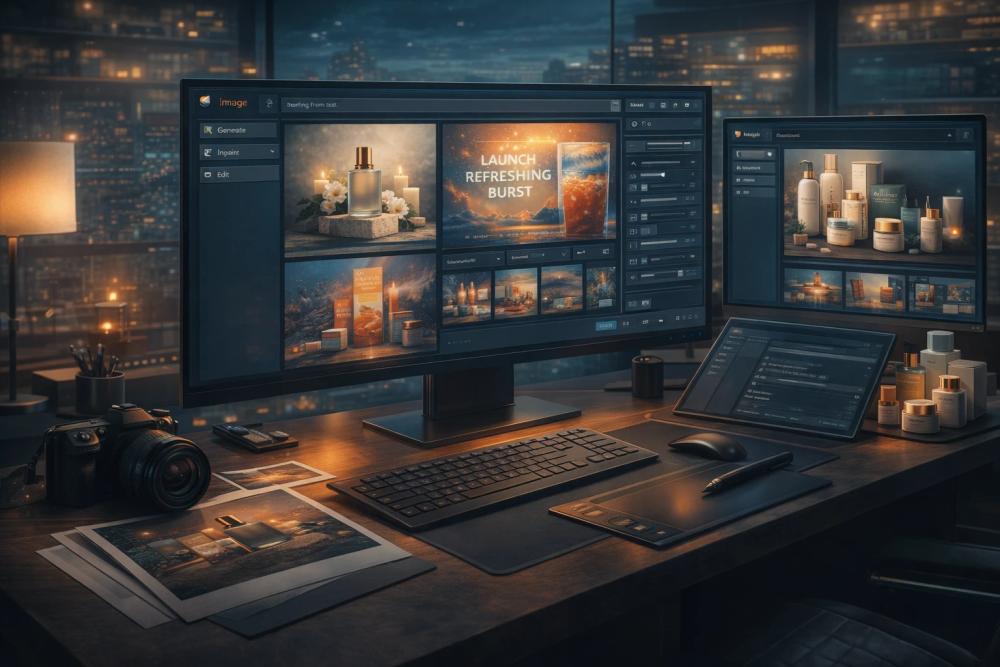
Image 2 is an advanced AI image generator and editor, powered by GPT Image 2, designed to streamline the creation of high-quality visuals for various commercial and creative needs. It allows users to generate stunning images from detailed text prompts or to edit and transform existing photos, all within a unified workspace. This tool is particularly effective for professionals and teams who require more than just a single-shot image, offering robust capabilities for refining composition, styling, backgrounds, text placement, and maintaining subject consistency across multiple versions without starting from scratch.
Key Features and Capabilities:
-
Text-to-Image Generation from Detailed Prompts: Image 2 excels at translating complex, plain-language prompts into sophisticated product renders, compelling ad creatives, impactful posters, and conceptual visuals. It provides superior control over layout and intent, making it ideal for specifying subject, lighting, camera angles, desired text, and overall composition in a single prompt. This feature is invaluable for product marketing, poster design, thumbnail creation, and developing campaign concepts, allowing for iterative refinement of ideas.
-
Readable Text for Visuals: A standout feature is its ability to generate images with readable text, crucial for marketing materials, advertisements, and UI mockups. Headlines, labels, and supporting copy remain clear and reviewable, significantly reducing the need for extensive redraw work during team reviews of layout and wording. It also supports multilingual draft visuals, facilitating global campaign development.
-
Consistent Visual Identity: Image 2 ensures visual consistency for products, characters, and brand assets across different campaigns, colorways, scenes, and recurring elements. This is highly beneficial for maintaining brand recognition across product families, mascots, characters, and serialized content, making it perfect for e-commerce sets, branded series, and building extensive content libraries.
-
Comprehensive Image Editing: Users can upload a rough photo or draft and leverage Image 2 to restyle, clean up, extend, or refine the final output. This includes capabilities for background changes, product cleanup, object swaps, and style updates. The tool maintains believable lighting and scene logic during revisions, accelerating the process from a raw source image to a launch-ready creative.
Workflow and Use Cases:
The workflow is straightforward:
- Upload or Start from Text: Begin by dropping product photos, portraits, or sketches, or start with a blank canvas for text-to-image generation.
- Describe Your Change Clearly: Effective prompts are descriptive, detailing the subject, style, composition, any text to be included, and the intended output. For example, "Create a premium skincare product image on soft stone, add botanical shadows, and leave space for a headline."
- Pick Model & Style: Select the appropriate workflow, output size (supporting 1K, 2K, and 4K-ready exports), and editing approach to match your project's requirements and review stage. Multiple aspect ratios like 1:1, 3:2, 4:3, 9:16, and 16:9 are supported.
- Review, Tweak, Save: Generate multiple variants, refine specific elements, and export the optimized asset for various platforms such as web, advertisements, presentations, or social media.
Image 2 offers a free trial with credits upon sign-up, requiring no credit card to get started. Paid plans provide higher credit volumes, priority generation, and a commercial use license, making it suitable for both individual creators and professional teams.