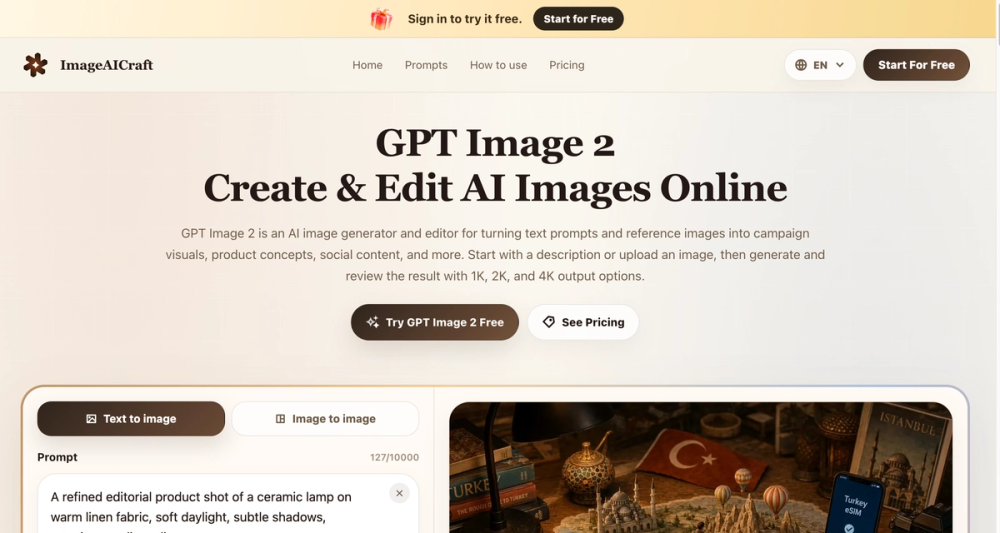
GPT Image 2 is a powerful AI-driven web application designed for both generating and editing images from text prompts and reference images. It streamlines the creative workflow for professionals and individuals alike, enabling the rapid creation of high-quality visuals for various purposes.
Key Features:
- Text-to-Image Generation: Transform natural language descriptions into stunning visuals. Users can specify subjects, settings, actions, moods, lighting, composition, and even integrate specific text into images for posters, signs, and interface mockups.
- Image-to-Image Editing: Upload existing JPG, PNG, or WebP images and use prompts to preserve, replace, remove, or restyle elements within them, offering precise control over visual revisions.
- Flexible Output Options:
- Quality: Choose from 1K (1024x1024), 2K (2048x2048), and 4K (3840x2160) resolutions to match project requirements.
- Aspect Ratios: Generate images in various aspect ratios including 1:1 (Square), 4:3 (Landscape), 3:4 (Portrait), 3:2 (Landscape), 2:3 (Portrait), 16:9 (Wide), 9:16 (Portrait), and 21:9 (Ultra Wide).
- Formats: Export images in JPEG, PNG, or WebP formats for compatibility with different platforms and workflows.
- Intuitive Workflow: The platform offers a clear, iterative process:
- Describe the Subject: Start with a main subject and add details like setting, action, mood, and specific text.
- Choose the Output: Select desired ratio, quality, image count, and format.
- Review and Refine: Generate a draft, inspect details, and adjust the prompt for further refinement.
- Flexible Visual Styles: Supports a wide range of visual directions, including photography, illustration, editorial, and anime, allowing users to achieve diverse aesthetic outcomes.
Use Cases: GPT Image 2 is built for everyday creative work across multiple industries:
- Digital Marketing: Create compelling ad creatives and social media visuals with clear calls to action.
- E-Commerce Catalogs: Develop polished lifestyle imagery and packaging mockups from product ideas.
- Brand Identity: Quickly draft logo concepts, explore palette studies, and visualize brand systems.
- EdTech & Presentations: Generate clear diagrams and slide visuals with legible labels.
- UI/UX Prototyping: Sketch realistic product screens and interface mockups before full development.
- Campaign Concepts: Explore various poster directions, social visuals, and headline-led compositions.
- Product Visuals: Test different packaging ideas, product scenes, and lifestyle directions.
- Interface Studies: Rapidly prototype UI directions, mockups, and presentation graphics.
- Image Revisions: Efficiently modify existing images by changing backgrounds, styles, or visual treatments using reference images and targeted instructions.
The platform emphasizes a practical, iterative workflow, allowing users to move from initial concepts to usable visuals within a single, compact workspace. Free trial access is available for standard 1K generation.