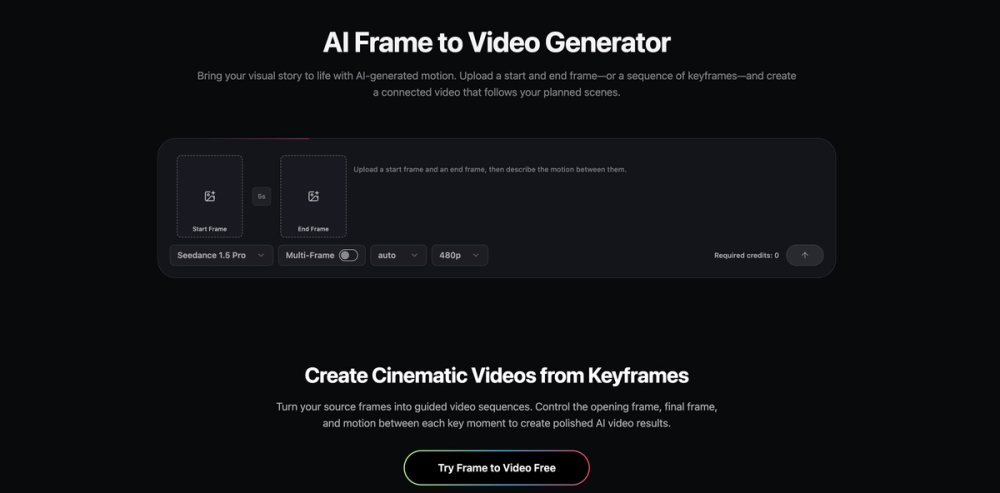
Frame to Video is an AI-powered video creation tool that helps creators turn still images into guided, cinematic video sequences. Rather than beginning with text alone and leaving every visual decision to chance, Frame to Video lets you start with the images that already define your idea: a first shot, a final shot, or a sequence of key moments. The AI then generates motion between those frames, helping you create video that follows the visual direction you planned. A single image can be a powerful starting point, but a sequence of frames gives a story structure. With Frame to Video, you can upload images that represent important moments in your scene and use them as visual references for the generated result. A start frame establishes where the video begins. An end frame shows where the scene should arrive. Additional keyframes can guide the progression in between, making it easier to create longer, more intentional videos with a consistent visual flow. This frame-guided approach gives creators more control than a typical image-to-video workflow. Instead of asking AI to animate one still image without knowing how the scene should evolve, you can define the beginning, transition, and destination of your video. Whether you are moving from a product close-up to a lifestyle scene, connecting campaign visuals into a short narrative, or exploring multiple creative directions before production, Frame to Video helps transform static ideas into motion. Using Frame to Video is simple. Upload the images you want to use as frames, choose the video settings that fit your project, and describe the motion you want to see. You can guide camera movement, subject action, scene changes, pacing, and visual atmosphere through a natural-language motion prompt. The platform handles the generation process, so you do not need a traditional editing timeline or advanced video-production experience to begin creating. Frame to Video is designed for creators, marketers, designers, agencies, and teams who need to develop video ideas faster. It can be used to turn product images into motion concepts, create social content from campaign assets, explore storyboards, develop visual treatments, or generate short videos for ads and product demonstrations. By starting with existing frames, you can preserve the creative direction of your images while giving them movement, energy, and narrative continuity. For teams, this makes early creative exploration more practical. Instead of organizing a full production before testing an idea, you can quickly turn static concepts into motion studies and share them for review. Generate variations, compare different motion directions, and refine the visual story before investing more time and resources. This can help creative teams communicate ideas more clearly, align on direction sooner, and make decisions with moving visuals rather than static mockups alone.
Frame to Video
Frame to Video is an AI video generator that turns start and end frames or a sequence of keyframes into connected video clips.
Introduction
Information
- PublisherVideo Frame
- Websiteframetovideo.com
- Published date2026/11/07

Sponsored
MarketingSEODirectories
ProductFame
ProductFame is a product launch platform that helps users discover popular products and helps founders gain real feedback, early traffic, and valuable...