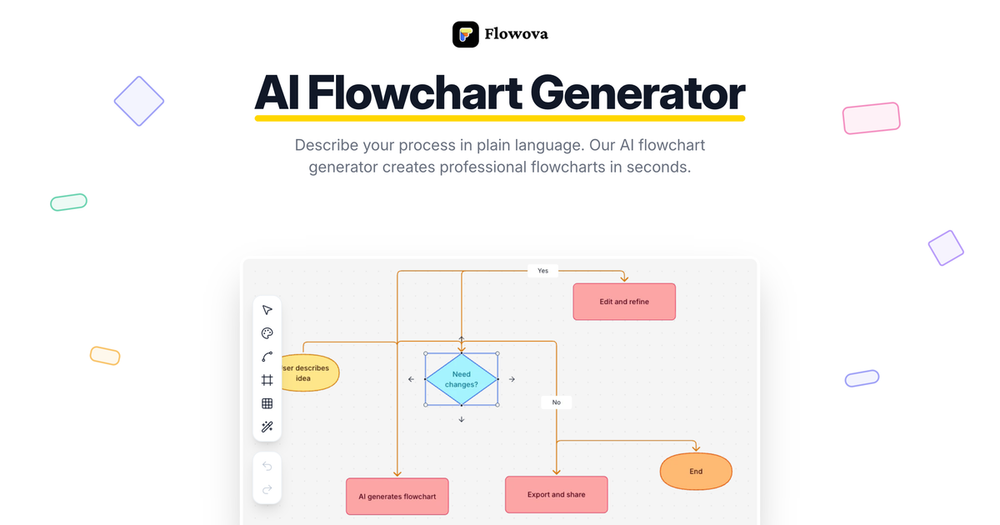
Flowova is an advanced AI flowchart generator designed to transform various inputs into professional, structured flowcharts with remarkable ease and speed. It caters to a wide array of professionals across different industries, enabling them to visualize complex processes, workflows, and systems without requiring any design skills.
The platform simplifies flowchart creation into three intuitive steps:
- Describe: Users can articulate their process in plain language, or upload diverse file formats including images (PNG, JPG, GIF, WebP), text files (TXT, Markdown, JSON, CSV), and documents (PDF, Word, PowerPoint, Excel). The AI intelligently understands the context from these inputs, supporting multiple languages for text descriptions and allowing for the upload and mixing of various file types simultaneously.
- Generate: Upon receiving the input, Flowova's AI instantly processes the information to construct a structured flowchart. It automatically selects appropriate shapes for each step, establishes logical connections, and arranges them in a clean layout. Users can observe the flowchart being generated in real-time, ensuring immediate feedback.
- Customize: Once generated, the flowchart is fully editable. Users can fine-tune every detail using a drag-and-drop interface, choose from over 40 professional color themes (including vibrant and monochrome options), and apply 5 different edge styles. The editor boasts a zero-learning curve with features like one-click auto-layout and unlimited undo/redo functionality.
Key features that enhance efficiency and flexibility include:
- Multi-format Input: Comprehensive support for text, images, PDFs, Word, and PowerPoint files, allowing users to leverage existing documentation.
- Intuitive Editor: Offers 18+ shapes, 5 edge styles, and easy drag-and-drop editing, complemented by one-click auto-layout for instant organization.
- Extensive Theming: Over 40 carefully tuned color themes ensure presentation-ready flowcharts that match any brand or preference.
- Versatile Export Options: Flowcharts can be exported as high-quality PNGs for presentations, scalable SVGs for graphic design, or Mermaid code for embedding in documentation platforms like Notion. A public share link is also available for easy collaboration without requiring recipients to sign up.
- Efficiency Tools: Includes one-click auto-layout, 40+ free templates for various industries, cloud sync with auto-save, keyboard shortcuts for common actions, and frames & grouping to organize complex diagrams and export individual sections.
- Mermaid Integration: Full round-trip support for Mermaid, allowing users to import existing Mermaid code, edit it visually within Flowova, and export it back.
Flowova is built for a diverse range of professionals, including:
- Software Architects & Developers: For designing system architecture, microservices, API flows, and documenting code logic.
- Product & Project Managers: To visualize user journeys, feature specifications, product requirements, project timelines, and approval workflows.
- Business Analysts & Operations Managers: For mapping business processes, SOPs, and process improvement diagrams.
- Marketing Managers & Content Creators: To build campaign funnels, lead nurturing flows, and plan editorial workflows.
- HR Managers & Recruiters: For documenting onboarding processes, performance reviews, and hiring pipelines.
- Educators & Students: To create lesson plans, learning pathways, and organize research.
- Legal & Healthcare Professionals: For mapping compliance procedures, patient intake, and clinical workflows.
With its powerful AI capabilities and user-friendly interface, Flowova aims to streamline the creation and management of flowcharts, making complex visualization accessible to everyone.