Find and Extract Colors
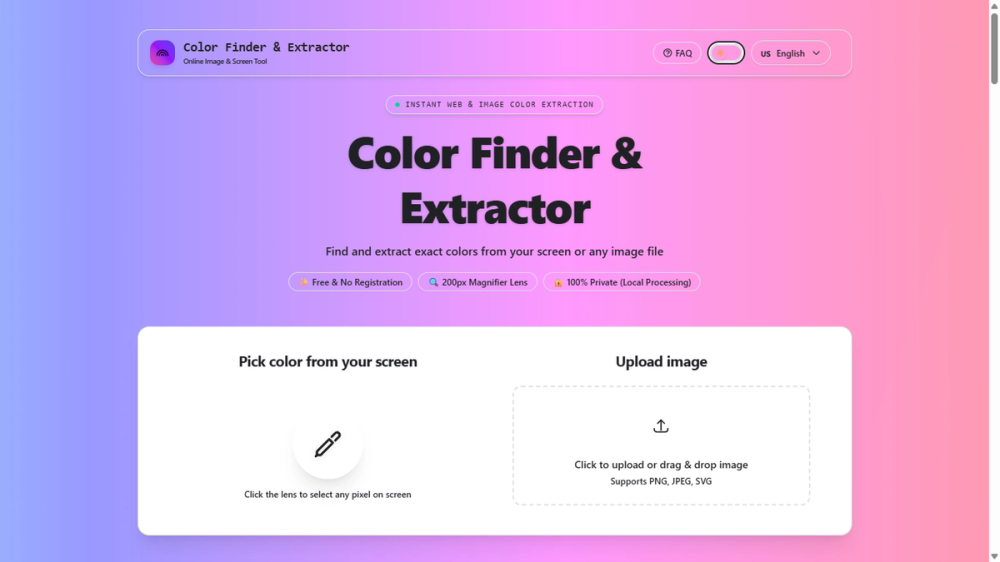
Free online color extractor and color picker. Pick colors from your screen or extract palettes from any image entirely in your browser, with no uploads and no account required.
Overview
Find and Extract Colors is a fast, privacy-first color tool built for designers, developers, and creators. It lets you extract accurate HEX, RGB, and HSL color codes from any image or screen pixel in seconds. Every operation runs locally in your browser, so your images never leave your device and nothing is tracked or stored on a server. The tool combines a high-magnification zoom lens with dominant-palette extraction, giving you both pinpoint precision and a broader view of an image's color composition.
Key Features
- 200px zoom lens for pixel-perfect color picking
- Screen color picking directly from your display
- Image upload support for PNG, JPEG, and SVG files
- Instant output in HEX, RGB, and HSL formats
- Automatic dominant color palette extraction
- 100% local processing so images never leave your browser
- No registration, no ads, no tracking
- Available in 8 languages for global use
- Responsive, accessible interface that works on desktop and mobile
Use Cases
- Designers matching brand or theme colors from mockups and references
- Developers sampling colors from screenshots for UI work
- Photographers and artists building palettes from photos
- Marketers ensuring consistent brand colors across assets
- Students and hobbyists learning about color theory
- Anyone who needs quick, accurate color codes without installing software
Getting Started
Clone the repository and install dependencies, then start the development server. Open the local address shown in your terminal to use the tool. For a production build, run the build command followed by the preview command. The project is built with Astro and Tailwind CSS v4, with pages under src/pages and components under src/components.
Pricing and Plans
Completely free. There are no paid tiers, no premium features, and no usage limits. Every feature, including screen picking, image uploads, palette extraction, and all export formats, is available to everyone at no cost.