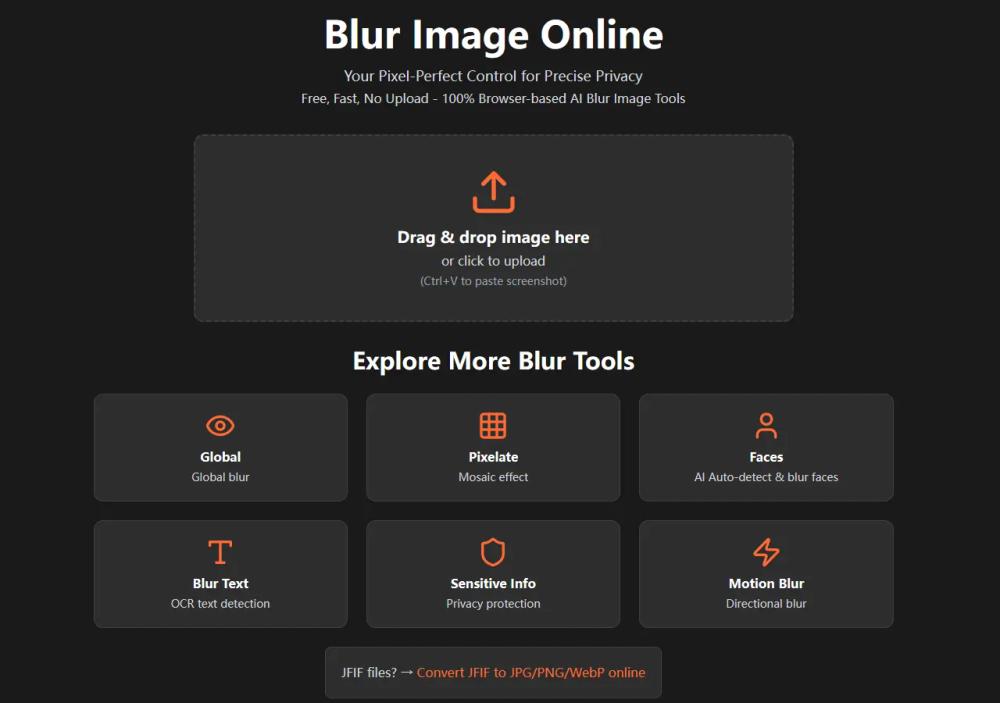
Blur Image Online is a powerful, free, and entirely browser-based image editing tool designed for precise privacy protection and creative image manipulation. Unlike many online editors, it processes all images locally on your device, ensuring no uploads to external servers and maximum data security. This zero-install platform offers a suite of seven specialized blur tools, making it an ideal solution for anyone needing to obscure sensitive information, enhance visual focus, or add artistic effects to their photos.
The platform's core strength lies in its hybrid AI and manual workflow. For instance, the Blur Faces and Blur Text tools leverage advanced AI to automatically detect and blur faces and text within an image with a single click. Similarly, the Blur Sensitive Info tool intelligently identifies and obscures private details like credit card numbers or addresses, offering both Gaussian and pixelate blur styles. Users retain pixel-perfect control through manual drawing and erasing modes, allowing for precise refinements beyond AI automation.
Key features include:
- Selective Blur Image: Offers granular control to manually paint blur onto specific areas using brushes or shapes, perfect for highlighting subjects or protecting defined regions.
- Global Blur Image: Applies a uniform blur across the entire image, with options to selectively restore clarity using an eraser, ideal for creating depth-of-field effects.
- Pixelate Blur Image: Transforms selected areas into uniform squares, providing a block-based pixelation effect with adjustable pixel size and dedicated restore tools.
- Motion Blur: Simulates movement by adjusting blur angle and distance, adding dynamic effects to static scenes.
A significant unique selling point is its unwavering commitment to privacy. The tool guarantees that its blur effects, especially pixelation, are irreversible by AI image restoration tools, effectively destroying original pixel data. Furthermore, it automatically strips all EXIF metadata (like GPS location, camera model, and creation date) from images during processing, safeguarding hidden data that could compromise user privacy.
Using the tool is straightforward:
- Open & Upload: Access blur-image.org in any modern browser, then drag & drop or click to upload your image (JPG, PNG, WebP supported).
- Choose Your Blur Tool & Edit: Select from the seven specialized blur options and apply your desired effects.
- Save & Export: Export your edited image in JPG, PNG, or WebP format, with the default option to remove EXIF metadata for enhanced privacy.
Blur Image Online is a robust, user-friendly, and privacy-conscious solution for all your image blurring needs, delivering professional results quickly and securely.