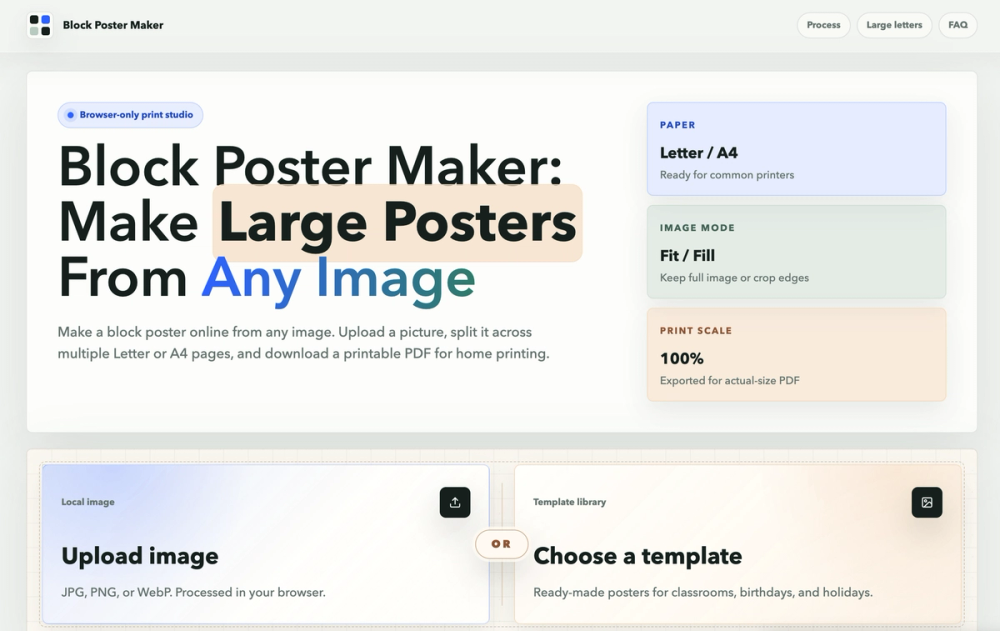
Block Poster Maker is an intuitive online tool designed to transform any image into a large, multi-page poster suitable for home printing. This browser-based print studio allows users to upload a picture, split it across multiple Letter or A4 pages, and then download a printable PDF for easy assembly. It's ideal for creating large-format prints without the need for specialized equipment or expensive printing services.
Key Features:
- Browser-Only Processing: All image processing happens directly in your browser, ensuring privacy as your images are never uploaded to a server.
- No Sign-up Required: Start creating your block poster instantly without the hassle of account creation or logins.
- Multi-Page PDF Export: Generate a tiled PDF that splits your image across standard Letter or A4 paper sizes, ready for printing on any common home or classroom printer.
- Fit or Fill Image Modes: Choose between "Fit" to keep the entire image visible within the poster grid (potentially leaving white space) or "Fill" to cover the entire grid by cropping image edges as needed.
- Adjustable Overlap: Add an overlap between pages to simplify the alignment and taping process when assembling your printed poster.
- Templates and Uploads: Begin with your own JPG, PNG, or WebP image, or select from ready-made poster templates.
- Print Scale Control: Exported PDFs are set for actual-size printing (100%), crucial for maintaining correct page alignment.
How It Works (Print Workflow):
- Upload or Choose a Template: Start by uploading your desired image file or selecting a pre-designed template.
- Set Paper, Pages, and Image Fit: Configure your poster by choosing the paper size (Letter or A4), the number of pages wide (height adjusts automatically to maintain aspect ratio), image fit mode (Fit or Fill), and optional overlap/margin settings.
- Download a Multi-Page PDF: Once satisfied with the preview, download the generated multi-page PDF.
- Print at Actual Size / 100%: Crucially, print the PDF at "Actual Size" or "100%" to ensure correct scaling and alignment of the individual page tiles. Avoid "Fit to Page" options.
- Assemble the Pages: After printing, trim or overlap the edges of the pages, align them carefully, and join the printed sheets to form your large block poster.
Use Cases:
Block Poster Maker is versatile for various applications, including:
- Classroom Posters: Create large educational diagrams, maps, or visual aids.
- Birthday Signs & Holiday Decorations: Design custom banners and festive decor.
- Event Banners: Produce impactful signage for gatherings and promotions.
- Photo Wall Prints: Turn favorite photos into impressive wall art.
- Teaching Materials: Scale complex visuals for better visibility in learning environments.
This tool empowers anyone with a standard printer to create impressive, large-scale posters from any image, making big prints accessible and affordable.