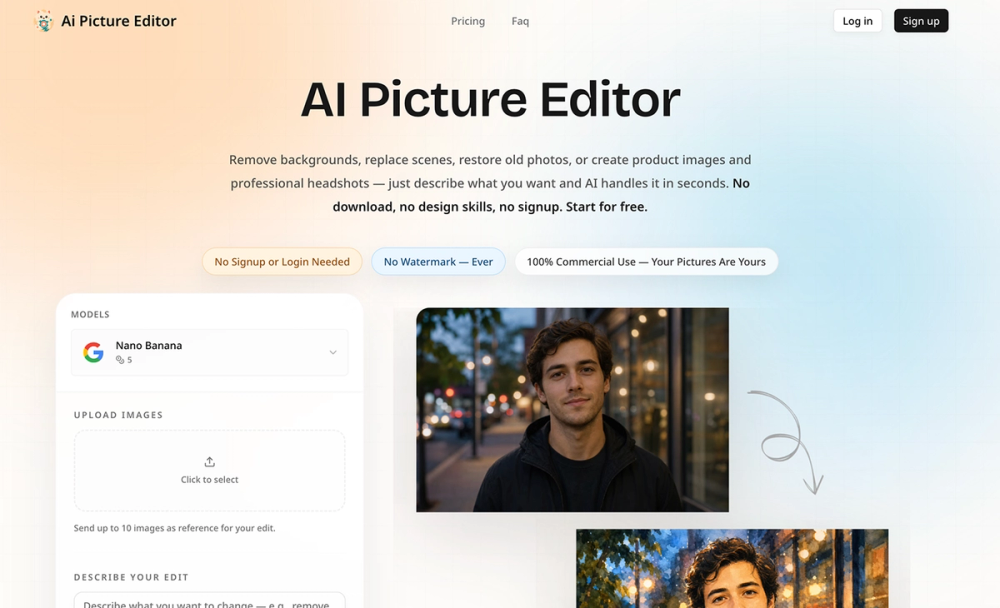
AI Picture Editor is a powerful, free online tool that leverages artificial intelligence to transform image editing, making it accessible to everyone without the need for complex software or design skills. Users can effortlessly edit pictures using simple text prompts, eliminating backgrounds, replacing objects, restoring old photos, and applying creative styles in seconds.
Key features include:
- One-Click Background Removal: Automatically removes backgrounds with hair-level precision, providing transparent PNGs ideal for product listings or profile pictures.
- AI-Powered Background Replacement: Describe any scene (e.g., "beach at sunset," "modern office"), and the AI seamlessly integrates your subject, adjusting lighting and perspective for realistic results.
- Instant Object Removal: Easily erase unwanted elements like photobombers, logos, or trash by simply brushing over them, with AI naturally filling the void.
- Old Photo Restoration to HD: Revitalize faded, scratched, or blurry old photos by sharpening faces, fixing colors, and reducing noise, making them look new.
- Creative Style Transfer & Filters: Apply over 50 artistic styles, from Studio Ghibli art to pencil sketches or professional headshots, with a single click.
- Picture Quality Enhancement: Upscale low-resolution images to HD, sharpen blurry details, and correct poor lighting automatically, transforming snapshots into crisp, usable images.
The editing process is streamlined into three simple steps:
- Upload Your Picture: Drag, drop, paste, or browse for JPG, PNG, and WEBP files up to 25MB. Images are processed privately and deleted after use.
- Describe Your Edit: Use plain English prompts like "remove the background" or "turn the cat into a lion." The AI interprets your description, eliminating the need for manual tools.
- Download Your Edited Picture: Receive watermark-free results in seconds, with options to preview and compare. Users can iterate on prompts to achieve perfect outcomes.
This AI picture editor is designed for a diverse audience, including:
- E-commerce Sellers: Quickly generate product photos for their stores in minutes.
- Social Media Creators: Produce engaging visuals, swap backgrounds, and apply trending styles for platforms like Instagram and TikTok.
- Photographers: Significantly reduce post-processing time by automating background removal, retouching, and enhancement.
- Small Business Owners: Create professional marketing materials without hiring a designer.
- Anyone with Old Family Photos: Easily restore cherished memories with one click.
What sets AI Picture Editor apart is its commitment to user experience:
- Smart Prompt Suggestions: Guides users with templates for common editing tasks.
- 3-Second Processing: Delivers rapid results, minimizing wait times.
- Truly Private: Uploaded images are immediately deleted, ensuring privacy.
- No Watermark, No Forced Signup: Offers complete freedom to edit and download without accounts or branding.
- Works on Desktop & Mobile: Fully browser-based, accessible on any device.
- Iterate Until It's Perfect: Allows users to refine edits by tweaking prompts without penalty.
The platform also emphasizes 100% commercial use rights and privacy protection, making it a reliable choice for both personal and professional image editing needs.