Overview
100mini is a deliberately small product built around one problem: AI tools now generate single-file HTML pages constantly, but there is still no fast way to turn that output into a link someone else can open.
You ask ChatGPT for a landing page. You ask Claude for an interactive artifact. You ask an agent to produce a dashboard, a report, a calculator, a chart, a quiz. What comes back is a chunk of HTML with CSS and JavaScript inside it. And then you are stuck. You can paste it into a local file, screenshot it, or spend twenty minutes wiring up a host, a repository, a build pipeline and a DNS record. For a page you might only need for an afternoon.
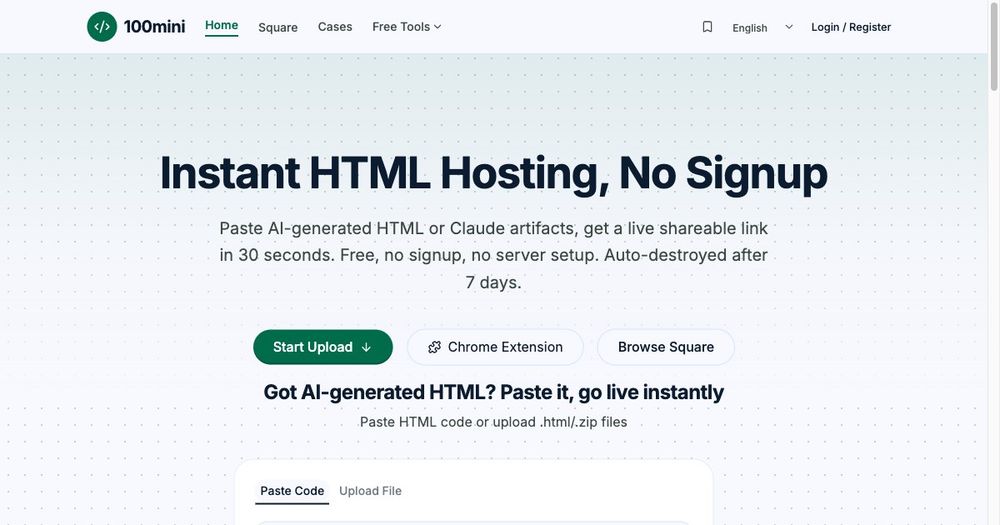
100mini removes that step. You paste the HTML, or upload an .html or .zip file, and it returns a public URL in roughly thirty seconds. The page opens full-screen in the browser exactly as written. No signup is required for the first upload, and no server configuration exists to get wrong.
Why instant HTML hosting matters
The bottleneck in AI-assisted building has moved. Generating a page is now cheap and fast; distributing it is still expensive and slow. That mismatch creates real friction in everyday workflows:
- A designer wants to show a client a concept before the client's team meeting starts in ten minutes.
- A developer testing an AI agent needs to hand a reviewer a working artifact rather than a screenshot.
- A founder wants feedback on a landing page before buying a domain.
- A teacher wants to share an interactive quiz they generated in a chat window.
- A consultant wants to send a one-off financial model with charts, then revoke access after the call.
In all of these cases, the page is single-file, short-lived and not worth infrastructure. A general-purpose host is the wrong tool: it optimises for long-lived production applications with builds, environments and continuous deployment. 100mini optimises for the opposite case — one page, one link, right now.
How it works
The flow is intentionally three steps.
First, you provide the content. You can paste raw HTML into the editor, or drag in a single .html file, or upload a .zip archive if the page references sibling assets. The editor does not attempt to rewrite or transform your markup. What you wrote is what gets served.
Second, 100mini stores the file and assigns it a short public URL. The upload is content-addressed and served from an isolated origin, so each published page is independent of the product itself.
Third, you share the link. Anyone with the URL can open the page full-screen in any modern browser, on desktop or mobile, without installing anything or creating an account.
For logged-in users there is a dashboard that lists every published page with its creation date, view count, expiry status and remaining lifetime. Pages can be deleted immediately, which takes the link down for everyone.
Sharing controls that actually fit the use case
Anonymous uploads solve the fastest case, but real sharing often needs boundaries. 100mini exposes four of them.
Expiry. A page can be set to expire anywhere between one hour and thirty days. This is useful for time-boxed reviews, temporary demos, event pages and anything that should not survive past its purpose.
View limits. Instead of a time window, you can cap the number of times a page may be opened. A cap of five is a natural fit for sending something to a small group.
Burn after reading. A one-time link self-destructs after the first successful view. This is the digital equivalent of handing someone a sheet of paper and taking it back.
Permanent slots. Authenticated users can keep pages indefinitely, which suits portfolios, documentation fragments, permanent demos and anything that should stay reachable without a custom domain.